
Top no code AI agent builders
The phrase “AI agent” has started showing up everywhere. Product pages, demo videos, comparison blogs. Almost every platform now claims to help teams build agents, often with a few prompts and a visual flow.
In practice, most of these tools do very different things. Some are chatbots with better prompts. Some are workflow automations with an LLM step added in the middle. A smaller set actually lets agents reason, pull context from company data, and take actions across systems in a way that holds up beyond a demo.
This gap is what makes choosing a no-code AI agent builder harder than it looks. The surface experience across tools feels similar. The differences only show up when you try to deploy agents inside real teams, with permissions, data boundaries, approvals, and reliability constraints.
This article is an attempt to bring some structure to that confusion. Instead of ranking tools by popularity or marketing claims, it looks at what actually qualifies as an AI agent in an enterprise setting, and which no-code platforms meaningfully support that today.
The goal is to lay out a clear benchmark you can use to evaluate platforms based on how you plan to use agents, whether that is internal operations, automation-heavy workflows, or conversational interfaces.
Why most “AI agent” lists are misleading
Most lists collapse very different tools into a single category. Chatbots, prompt wrappers, and workflow automations with an LLM step are all labelled as AI agents, even though they behave very differently once deployed.
Another common problem is that comparisons focus on how agents are created, not how they operate. A smooth setup experience or a visual builder says little about whether an agent can work inside real systems with dependencies, permissions, and failure scenarios.
Surface features tend to dominate evaluations. These gaps only become visible after teams try to run agents in production.
What a no-code AI agent builder actually is
At a practical level, an AI agent is software that can decide what to do next, not just respond to an input.
A no-code AI agent builder is a platform that lets teams define that decision making without writing application code. Instead of hard-coding every step, you give the agent a goal, access to specific tools and data, and guardrails around how it is allowed to act.
Three capabilities matter here.
- First, the agent must be able to take actions. That usually means calling APIs, reading or writing to databases, triggering workflows, or interacting with other systems. If a tool only generates text or suggestions, it does not qualify as an agent in this context.
- Second, the agent needs controlled context. This includes memory, retrieval from approved knowledge sources, and awareness of the state of the systems it operates in. Without this, agents either hallucinate or remain shallow.
- Third, the agent must operate inside constraints. Permissions, approval steps, and clear boundaries around what it can and cannot do are part of the agent definition, not optional add-ons.
“No code” does not mean simplistic. In enterprise settings, it usually means visual configuration layered on top of real infrastructure. The best platforms allow business teams to define behavior visually, while still exposing hooks for engineering teams to enforce security, observability, and reliability.
Quick comparison of top no code AI agent builders
Before diving into individual platforms, it helps to see how they compare at a high level.
A few notes before reading it:
- “Agent builder capability” reflects whether the platform supports building agents that can reason and act across systems, not just generate text.
- “Sharing mechanism” tells us the methods one can share and use the agents built with the platform.
- “Integration depth” refers to how deeply agents can interact with databases, APIs, and SaaS tools, not the raw count of connectors.
- “Enterprise controls” focuses on SSO, RBAC, audit logs, and deployment flexibility, since these are usually the gating factors in real adoption.
With that context set, lets look at our no-code agent builder list:
DronaHQ
DronaHQ is an enterprise-focused low-code platform that expanded into AI agent building as part of its broader internal tools and workflow offering. It is used by large engineering and operations teams to build governed internal apps, workflows, and now AI-driven agents on top of existing systems.
The platform has evolved from internal app development into a more agent-centric model, where AI is embedded into operational workflows rather than treated as a standalone layer.

Where it fits best
- Internal operations teams are building AI agents that must interact with multiple internal systems
- Enterprises that already have APIs, databases, and workflows in place
- Scenarios where AI agents are part of a larger operational tool or process, not a one-off assistant
DronaHQ Agent Builder strengths
- Visual agent configuration that combine AI reasoning with deterministic steps
- Strong separation between agent intent, tools, and execution logic
- Designed for agents that need to act across systems, not just respond
- Native support for embedding agents inside internal apps and dashboards
- Clear focus on operational reliability over conversational polish
- Dedicated modules for Traces, Guardrails
Integration depth
- Deep integrations with databases, REST APIs, and internal services
- Support to connect 5000+ AI tools
- Ability to expose internal APIs safely for agent use
- Ability to mix AI steps with traditional scripting
- Integrations are designed for write access, not just read or suggestion mode
Sharing mechanisms:
- Public or private agent links
- Access-controlled links (auth enforced)
- Embedded via iframe inside other apps or portals
- Embedded inside DronaHQ-built internal apps
- Can also be triggered via APIs or workflows
- Agent can exist independently of a UI. UI is optional, not mandatory
Enterprise readiness
- Single Sign-On support
- Role-based access control across agents
- Global guardrails definition
- Deployment options include SaaS, VPC, and self-hosted environments
- Designed to operate within enterprise security and compliance constraints
Limitations to be aware of
- Templates library is still under development
- Less suited for lightweight, consumer-style assistants
- Visual builder assumes some familiarity with internal systems and workflows
Lyzr
Lyzr is an enterprise AI agent platform built specifically around process automation, governance, and safety. Unlike tools that added agents later, Lyzr was designed from the ground up for deploying AI agents inside regulated and complex environments.
It is commonly positioned as an AI agent infrastructure layer rather than an app builder.

Where it fits best
- Large enterprises automating cross-system business processes
- Regulated industries where AI governance is non-negotiable
- Teams that need AI agents to operate with strict controls and traceability
Lyzr agent platform strengths
- Clear separation between agent reasoning, tools, and policies
- Built in concepts for human approval and oversight
- Designed for long running, multi step business processes
- Emphasis on reliability and auditability over speed of setup
- Library of ready to use AI agents
Sharing mechanisms:
- Agents exposed as APIs or services
- Can be integrated into internal systems or tools
- Can be connected to chat or UI layers separately
- Often deployed as part of backend or process flows
- Sharing is system-to-system, not “link sharing”. No casual “send a link” model
Integration depth
- Deep integrations with enterprise systems such as CRM, ERP, and HR platforms
- Designed to orchestrate actions across multiple systems in one flow
- Integrations assume production level access, not sandbox usage
Enterprise readiness
- Single Sign-On support
- Fine grained role-based access control
- Detailed audit logs and traceability
- Deployment options include SaaS, private cloud, and on premise
- Certifications and controls aligned with enterprise compliance standards
Lyzr Limitations to be aware of
- Business users will find this overwhelming
- Heavier platform compared to lightweight automation tools
- Longer setup and onboarding time
- Less suitable for quick experiments or small teams
- Overkill for simple assistant style use cases
Relevance AI
Relevance AI is a no code AI agent platform designed around the idea of building an “AI workforce.” It focuses on enabling teams to create role-based AI agents that map to business functions such as sales, support, research, and operations, rather than low-level system workflows.
The platform has grown by abstracting agent creation into reusable templates, actions, and roles that feel familiar to non-technical teams.

Where it fits best
- Business and operations teams deploying functional AI agents quickly
- Organizations prioritizing speed and usability over deep system orchestration
- Teams experimenting with multiple agents across departments
Relevance AI platform strengths
- Strongly optimized for business users rather than developers
- Agents are modeled as roles and functions, which maps well to org structures
- Large library of pre-built agent templates reduces setup effort
- Low cognitive load for creating and iterating on agents
- Makes it easy to deploy many agents without deep technical involvement
Sharing mechanisms
- Agents shared internally within the workspace
- Can be triggered via:
- Chat interfaces
- Scheduled runs
- API access
- Can be embedded into internal workflows or tools
- Some agents exposed as chat-style interfaces for teams
Important nuance:
- Sharing is workspace and role-based
- Designed for internal team usage, not public distribution
- Less emphasis on public links or embeds
Integration depth
- Broad coverage of SaaS tools and external services
- Agents can interact with CRMs, communication tools, and common business systems
- Supports chaining actions across tools in a single agent execution
- Integrations favor breadth and speed over fine-grained control
- Custom integrations are possible, but not the primary design focus
Enterprise considerations
- Explicit agent-level modeling, rather than only app-level constructs
Supports SSO for enterprise authentication - Role-based access controls scoped to agents and teams
- Audit logs for agent actions and execution history
- Deployment options include SaaS and private cloud environments
Limitations to be aware of
- Less suited for developer-heavy teams needing deep infrastructure control
- Limited flexibility for complex, custom backend logic
- Integration behavior is more abstracted, which can reduce transparency
- Not ideal for long-running or highly stateful system processes
- Advanced governance scenarios may require higher-tier plans
Lindy
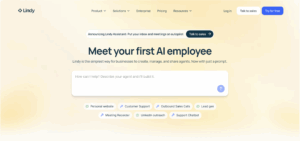
Lindy is a no code AI automation platform designed to help teams build assistant-style AI agents that operate across everyday business tools. It positions itself closer to an AI-powered automation layer than an internal systems platform.
Lindy gained traction through quick setup, prebuilt agent templates, and strong support for email, scheduling, and communication-driven workflows.
Where it fits best
- Business teams looking to automate repetitive, human-in-the-loop tasks
- Sales, operations, and support teams needing assistant-style agents
- Organizations prioritizing speed and ease of use over deep system control
Lindy platform strengths
- Strongly optimized for non-technical business users
- Very low setup friction with template-driven agent creation
- Natural language configuration for agent behavior
- Well suited for assistant and task coordination use cases
- Good balance between automation and conversational interaction
Integration depth
- Broad integrations with email, calendars, CRMs, and messaging tools
- Agents can trigger actions across common SaaS platforms
- Integration model is event and task oriented
- Limited support for deep database or internal system interaction
- Not designed for complex backend orchestration
Sharing mechanisms:
- Agents run via:
- Email inboxes
- Calendars
- CRM events
- Task triggers
- Some agents can be interacted with via chat or voice
- No concept of “shareable agent link” in most cases
Important nuance:
- Sharing means connecting the agent to a workflow
- Users experience the agent indirectly, not as a destination
Enterprise considerations
- Platform-level SSO for users
- Team-based access controls
- Execution logs at workflow level
- SaaS-only deployment model
- No explicit agent-level identity or permission model
Limitations to be aware of
- Not suitable for developer-led or infrastructure-heavy use cases
- AI agents are tightly scoped to predefined tasks and tools
- Limited deployment and security customization
- Governance is implicit and workflow-based, not agent-based
- Over time, complex logic can become hard to reason about
Zapier Agents
Zapier Agents extend Zapier’s long-standing automation platform by allowing AI to dynamically choose and execute actions across Zapier’s integration ecosystem. Instead of static workflows, agents can reason about which steps to take based on context.
The agent capability is layered on top of Zapier’s existing trigger-action model.

Where it fits best
- Teams already heavily invested in Zapier
- Automation-first use cases spanning many SaaS tools
- Business teams that want AI-driven flexibility without rebuilding workflows
Zapier Agents strengths
- Extremely broad integration ecosystem
- Strong fit for cross-tool automation scenarios
- AI adds adaptability to previously rigid workflows
- Very accessible for non-technical users
- Minimal setup if workflows already exist
Integration depth
- Best-in-class breadth across SaaS tools
- Integrations are action based and API driven
- Limited depth for custom or internal systems
- No native concept of databases or complex state handling
- Execution remains bounded by Zapier’s action model
Sharing mechanisms:
- Agents are shared as:
- Zapier workflows
- Team-owned automations
- Can be triggered by events across apps
- No standalone UI or agent endpoint
Important nuance:
- Agent visibility is tied to Zap ownership and permissions
- End users rarely “interact” with the agent directly
Enterprise considerations
- Platform-level user and team management
- Shared workflows and access controls
- Execution history and logs at workflow level
- SaaS-only deployment
- No agent-level identity, permissions, or audit scope
Limitations to be aware of
- Agents cannot operate outside Zapier’s ecosystem
- Limited suitability for internal or regulated systems
- Governance and permissions are inherited from workflows
- Not ideal for long-running or stateful agents
- Can become expensive at scale due to task-based pricing
n8n
n8n is an open source workflow automation platform that is often grouped under no-code tools because of its visual, node-based builder. In practice, it behaves more like a low-code automation framework that assumes developer involvement, especially for anything beyond simple workflows.
AI capabilities in n8n are layered into workflows through dedicated nodes, rather than exposed as a standalone agent system.

Where it fits best
- Developer or technically inclined teams building automation-heavy workflows
- Organizations that want full control through self-hosting
- Use cases where AI augments automation logic rather than owning end-to-end processes
n8n platform strengths
- High flexibility for developers who want fine-grained control
- Visual workflow builder combined with scripting when needed
- Open source core allows customization and inspection
- Suitable for complex branching, retries, and conditional logic
- Strong fit for teams comfortable thinking in workflows and data flow
Integration depth
- Large library of integrations across SaaS tools and services
- Strong support for APIs, webhooks, and custom HTTP requests
- Can interact with databases and internal systems
- Integrations expose raw parameters, enabling deep customization
- Integration depth is powerful but requires technical understanding
Sharing mechanisms:
- Agents exist as workflow nodes
- Shared by:
- Sharing workflows
- API endpoints
- Webhooks
- No UI-first agent experience
Important nuance:
- Sharing requires technical setup
- End users interact with systems, not the agent itself
Enterprise considerations
- Self-hosted and SaaS deployment options
- Platform-level user management and access controls
- Auditability through workflow execution logs
- No explicit agent-level identity or permission model
- Governance is tied to workflows and infrastructure, not agents
Limitations to be aware of
- Not truly no-code in real-world usage
- Business teams typically cannot own workflows independently
- JavaScript is often required for non-trivial logic
- AI usage is embedded in workflows, not modeled as agents
- Higher operational overhead compared to no-code platforms
Retool
Retool is a low code platform built for developers to create internal tools on top of databases and APIs. Its core strength has always been speed of internal app development, with tight control over data access and UI logic. It launched Retool Agents as a mechanism for devs to build AI coworkers on top of their systems.

Where it fits best
- Developer-led teams building internal tools and admin interfaces
- Organizations with strong engineering ownership of operational tooling
- Use cases where AI assists users inside an app rather than operating independently
Retool platform strengths
- Very strong fit for developers who want speed without abstraction loss
- Tight integration between UI, data sources, and logic
- AI features work well as copilots inside internal tools
- Good observability and control for app-level behavior
- Mature ecosystem for internal tool development
Integration depth
- Deep integrations with SQL and NoSQL databases
- First-class support for REST and GraphQL APIs
- Can connect to a wide range of internal and external systems
- AI interactions are scoped to the app context
- Not designed for cross-app or cross-system orchestration by agents
Sharing mechanisms:
- Agents only usable inside Retool apps
- No standalone agent deployment
- Sharing is equivalent to sharing the app
- Permissions are app-based
- If there is no app, there is no agent. Agent experience is always mediated by UI
Enterprise considerations
- Platform-level SSO and role-based access control
- Audit logs for app usage and changes
- SaaS and self-hosted deployment options
- Permissions and governance apply to apps and users
- No explicit agent-level identity, permissions, or lifecycle model
Limitations to be aware of
- AI functionality is app-centric, not agent-centric
- Not suitable for autonomous or long-running agents
- Business teams cannot own AI behavior independently
- AI inherits app permissions, which limits governance granularity
- Overkill if the primary goal is agent automation rather than UI
ToolJet
ToolJet is an open-source low-code platform originally built for internal tools, which has very recently added AI capabilities for workflows and automation. It is used by engineering and operations teams that want control over deployment and data, without building everything from scratch.
The platform positions itself as AI native in how AI is embedded into workflows and applications, rather than as a separate assistant layer.
Where it fits best
- Internal teams building operational tools with AI embedded into workflows
- Organizations that want open source foundations or self hosted deployments
- Use cases where AI is one step in a broader system driven process
ToolJet agent builder strengths
- Strong alignment between AI steps and deterministic workflow logic
- Visual workflows that allow AI decisions to trigger downstream actions
- Open source core gives teams visibility into how things work
- AI features are designed to augment internal tools, not replace them
- Clear emphasis on control and extensibility over polish
Integration depth
- Deep integrations with SQL and NoSQL databases
- REST and GraphQL APIs
- Connectors for common SaaS tools used in internal operations
- Integrations are designed for real read and write operations
Sharing mechanisms:
- Agents exposed as APIs or services
- Can be integrated into internal systems or tools
- Can be connected to chat or UI layers separately
- Often deployed as part of backend or process flows
Enterprise readiness
- It does support RBAC, SSO, version control for apps. Whether that extends to Agents, is unclear.
- Audit logs for changes and executions
Tooljet Limitations to be aware of
- User experience can feel more developer oriented
- AI features require thoughtful configuration to avoid shallow usage
- Less suited for conversational or customer facing agents
- Requires teams to think in terms of workflows, not assistants
Botpress
Botpress is a conversational AI platform built specifically for designing and deploying chat-based agents. It started as a chatbot framework and has evolved into a structured conversational agent platform with support for memory, tool calling, and multi-channel deployment. Its core orientation remains conversation-first rather than workflow or operations-first.
It fits best for teams building customer-facing or internal conversational agents where interaction happens through chat or messaging interfaces. Typical use cases include support bots, internal help agents, and guided conversational assistants.

Platform strengths:
- AI agents are first-class conversational entities.
- Strong tooling for multi-turn dialogue and conversational state.
- Memory and context handling designed around conversations.
- No-code friendly for conversation design and flow control.
- Good fit for business teams working on chat experiences, with optional extensibility for developers.
Integration depth:
- Supports calling external APIs and tools from within conversations.
- Integrates with common messaging channels like web chat, Slack, and WhatsApp.
- Tool calling is typically scoped to a conversational turn.
- Limited support for orchestrating complex, multi-system backend processes.
- Best suited for request-response integrations rather than long-running workflows.
Sharing mechanisms:
- Agents deployed as:
- Website chat widgets
- Messaging channels (Slack, WhatsApp, etc.)
- API-based chat endpoints
- Public or private depending on channel
Important nuance:
- Sharing is channel-based
- Strong for conversational access
- Weak for internal ops or backend workflows
Enterprise considerations:
- Supports SSO for managing bot builders and administrators.
- Role-based access controls for managing bots and environments.
- Conversation logs and transcripts available for auditing and review.
- SaaS and self-hosted deployment options.
- Governance is conversation-level, not agent-as-a-process governance.
Limitations to be aware of:
- Not designed for internal operations or system-heavy automation.
- Agents are reactive to user input rather than autonomously goal-driven.
- Limited support for background execution or long-running tasks.
- Business logic is constrained by conversational context.
- Not suitable as a general-purpose AI agent platform for ops teams.
Microsoft Copilot Studio
Microsoft Copilot Studio is a no-code platform for building AI agents that operate within the Microsoft ecosystem. It evolved from Power Virtual Agents and is tightly integrated with Microsoft 365, Teams, and the broader Power Platform. Agents are explicitly modeled as copilots or assistants embedded inside Microsoft products.
It fits best for organizations that are already standardized on Microsoft 365 and Azure, and want to deploy internal support or productivity agents inside tools like Teams, Outlook, or other Microsoft apps.

Platform strengths:
- AI agents are first-class entities within the Microsoft ecosystem.
- Strong no-code experience designed for business users.
- Deep integration with Microsoft Graph, Dataverse, and Power Platform services.
- Native alignment with enterprise identity and compliance models.
- Well suited for internal help, HR, IT support, and knowledge access agents.
Integration depth:
- Very strong integration with Microsoft systems and data sources.
- Can trigger Power Automate flows and use Microsoft connectors.
- Supports API access through Azure and Power Platform.
- Cross-system orchestration is strongest when systems already live in Microsoft.
- Limited flexibility outside Microsoft’s connector and service ecosystem.
Sharing mechanisms:
- Agents shared within:
- Microsoft Teams
- Microsoft 365 apps
- Controlled via Azure AD
- No concept of public agent links
Important nuance:
- Distribution is tightly coupled to Microsoft ecosystem
- Sharing model is enterprise-friendly but closed
Enterprise considerations:
- Azure AD based SSO and identity management.
- Enterprise-grade RBAC and compliance controls.
- Audit logs and monitoring through Microsoft admin tooling.
- SaaS deployment within Microsoft cloud.
- Governance is robust but tightly coupled to Microsoft infrastructure.
Limitations to be aware of:
- Strong vendor lock-in to the Microsoft stack.
- Limited appeal for heterogeneous or non-Microsoft environments.
- Custom execution models require Power Platform expertise.
- Agents are primarily assistant-style rather than ops-heavy.
How this benchmark should be used
This benchmark is meant to help narrow the field, not declare a single winner. Platforms have been evaluated based on how their AI agent capabilities work in practice, not how they are positioned in marketing. The focus is on whether agents are first-class entities, how they interact with systems, and how realistically they can be deployed inside teams.
The right platform depends less on features and more on context. Internal operations agents, assistant-style agents, conversational agents, and ecosystem-bound agents each demand different tradeoffs. Starting from the use case, rather than the tool, leads to better outcomes.
A note on accuracy and change
The AI agent landscape is evolving quickly. Capabilities, constraints, and positioning can change over short periods of time. This evaluation is based on hands-on interaction with the products, platform documentation, and feedback from developers and practitioners across public communities and reviews. Readers should always verify current capabilities directly on the product’s website before making decisions.
Related Articles