Top 9 no-code AI agent builders 2026
AI agents sound impressive in demos, but the real test is how easily you can build and deploy one without touching code. We tested 9 no-code AI agent builders to see which platforms actually make agent development simple – from workflow automation and integrations to real-world task execution.
In this guide to the top no-code AI agent builders in 2026, including DronaHQ, Lindy, Voiceflow, and n8n, we compare the best AI agent builders and AI agent platforms for creating and deploying AI agents without writing code.
These platforms let teams create AI agents using visual interfaces, automation tools, and integrations with existing business software. Whether you’re building agents for sales teams, operations teams, or customer support, modern no-code AI agent builders make it possible to automate complex workflows without engineering resources.
Morgan Stanley uses AI agents to search 100,000+ research documents and answer advisor questions in seconds. Pharma companies have agents monitoring clinical trial data. Insurance firms are processing entire claims with AI. These aren’t prototypes; they’re operational systems handling significant amounts of money and real-world assets, built using specialised AI agent development AI tools and automation tools that we will evaluate in this blog.
The AI agent market exploded in 2025. With Statista projecting the global AI market to hit $750B+ in 2026, while McKinsey’s latest research confirms this, noting that 23% of organizations are already scaling agentic systems to drive measurable EBIT impact. Almost every team has either already implemented an agent, is testing their pilot as we speak, or is evaluating methods to launch one. I spent the weeks testing the top 9 AI agent platforms and no-code agent builders to figure out which ones deliver on their promises.
What are AI Agent Builder Platforms?
AI agent builder platforms are tools that allow teams to create AI agents and automate workflows without writing code. These platforms use large language models, visual interfaces, and integrations with existing tools to build agents capable of handling complex tasks and multi-step workflows.
TL;DR – Best no-code AI agent builders at a glance
Nine platforms, a lot of testing, and some clear winners by category. If you’re short on time, here’s the quick version before diving into the full breakdowns:
- Best for enterprise governance and system-level integrations: DronaHQ, audit trails, self-hosted deployment, and OAuth-based tool connections built in from day one.
- Best for non-technical teams: Lindy, describe what you want in plain English and the agent is running in under a minute.
- Best open-source option: n8n, free to self-host, 400+ integrations, and Gives you control over your data and infrastructure.
- Best for customer-facing chat: Voiceflow, the most intuitive conversation designer in the list, with omnichannel deployment that actually works out of the box.
- Best for data-heavy workflows: Stack AI, multi-LLM routing cuts costs significantly when you’re processing large volumes of documents or financial data.
Methodology – How I Tested These AI Agent Platforms
I built AI agents on each AI agent platform to evaluate their capabilities across real business processes, across practical use cases, such as employee onboarding (which took about 30 minutes at most), sales follow-up automation involving email, CRM, and calendar integrations, competitor research, and customer support triage.
I eliminated any platform that required backend coding for basic stuff, had unreliable integrations, lacked error handling, or pricing I could not make sense of.
What I evaluated
- Ease of Setup – How quickly a non-technical user can go from zero to a working agent
- Integration Reliability – Whether connections to tools like Google Workspace, HubSpot, and Slack held up in practice
- Agent Reasoning & Adaptability – How well the agent handles ambiguity, edge cases, and multi-step logic
- Governance & Transparency – Audit trails, reasoning visibility, and compliance controls. This is a critical metric; Gartner identifies Agentic AI as a top strategic trend for 2026, predicting that by the end of this year, 40% of enterprise apps will feature task-specific agents.
- Pricing Clarity – Whether costs are predictable and scale reasonably with usage
What Made the Cut
DronaHQ and Lindy set the benchmark. DronaHQ had a working employee onboarding agent running in 30 minutes with zero code, plus enterprise-grade governance built in. Lindy’s prompt-to-agent feature is genuinely accessible to non-technical users, no canvas, no node mapping, no manual orchestration required. Both delivered on the “no-code” promise without compromise.
What Didn’t Make the Cut
Any platform that required technical knowledge to do basic things didn’t qualify. If setting up a simple integration meant writing HTTP requests, configuring webhooks, handling JSON parsing, or touching a terminal, it was disqualified from the no-code category. The threshold was simple: if a non-technical business user would hit a wall within their first workflow, the platform didn’t make the cut as a true no-code solution.
Testing Limitations
- Testing was conducted on macOS and iOS; experiences on Windows or Android may vary
- I focused on business automation, not games or creative writing.
- Tested mainly with OpenAI and Anthropic models, unless mentioned otherwise
- Didn’t stress-test at a massive scale, limited voice testing.
- Not all premium tiers were tested due to cost constraints
Comparison table at a glance
Here’s a quick snapshot of all nine platforms side by side. You can use it as a starting filter, pick 2-3 that match your budget and use case, then dig into the full reviews below before committing.
| Tool Name | Starting Price | Free Plan? | Best For | Rating |
| DronaHQ | Custom | Yes | Enterprise operations | 4.5/5 |
| Lindy | $49.99 | Yes | High-frequency tasks | 4/5 |
| n8n | $20 | Yes | Backend workflows | 4/5 |
| Voiceflow | $50 | Yes | Customer-facing chat | 4.5/5 |
| Stack AI | Custom | Yes | Data-intensive work | 4/5 |
| Relevance AI | $29 | Yes | Knowledge work | 3.5/5 |
| Zapier Central | $29.99 | Yes | Action orchestration | 3.5/5 |
| Flowise | Free(self-hosted) | Yes | RAG systems | 3.5/5 |
| LangFlow | Free | Yes | LangChain prototyping | 3.5/5 |
Rating Logic: Ratings reflect four factors weighted equally: ease of setup for non-technical users, integration reliability, pricing transparency, and how well the platform handles real-world edge cases. I didn’t give bonus points for feature lists. I gave them features that actually worked when I needed them to.
1. DronaHQ – Enterprise AI Agent Builder Platform
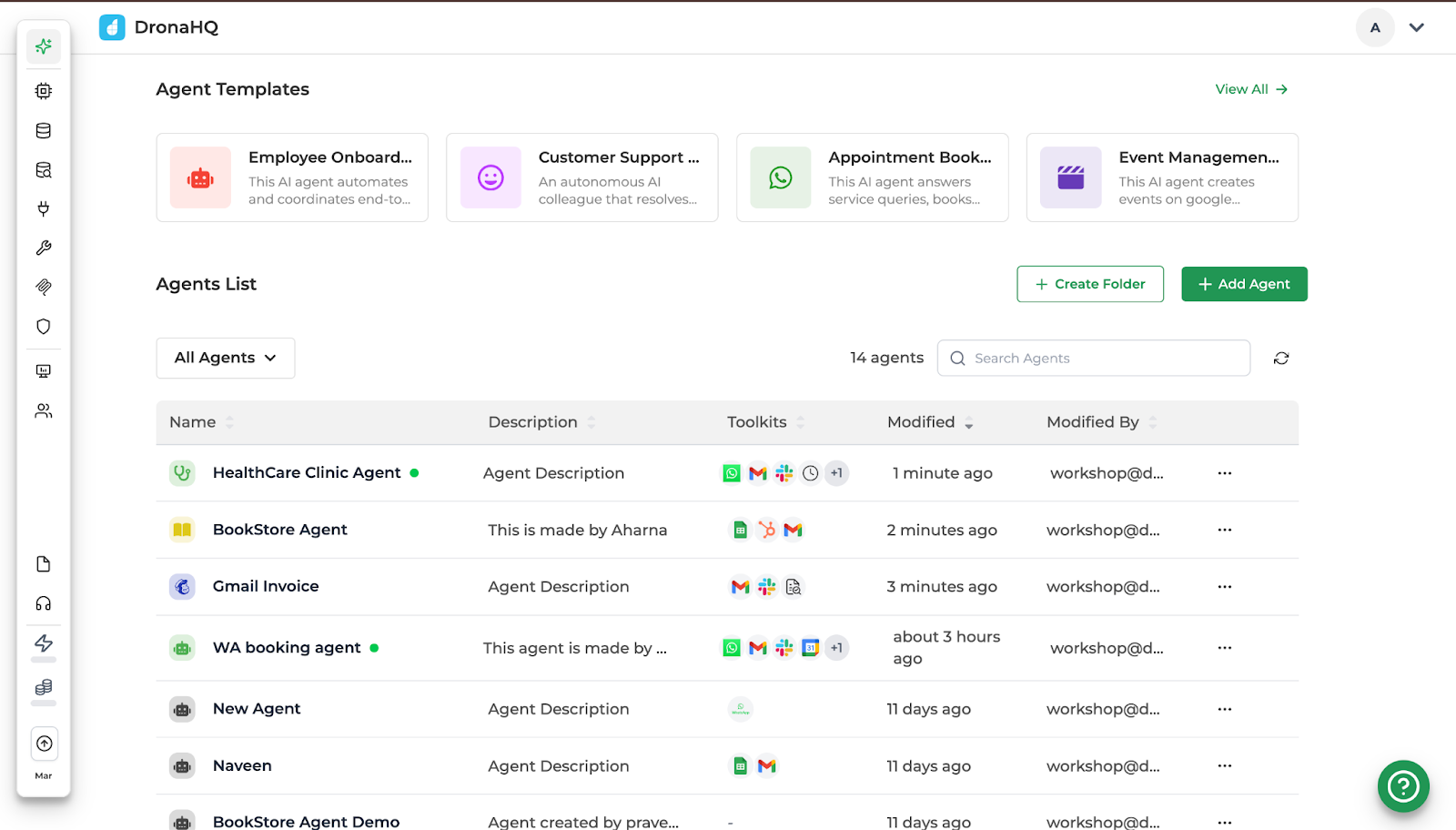
DronaHQ Agentic Platform is designed for teams connecting AI agents to enterprise systems with built-in governance controls.
Pricing: Custom enterprise pricing
Free plan: Yes (5$ worth of AI Credits≈2500 AI credits )
Who it’s for: Mid-to-large enterprises needing automation across multiple systems
Pros:
- 4,000+ OAuth tool integrations without API key management and multiple built-in triggers
- Audit trails and governance for compliance and transparency into the reasoning behind every agent action.
- Context management to reference conversation threads
- Playground for rapid testing and more reliable agents
Cons:
- Small marketplace of pre-built agents means building from scratch for custom use cases (but good thing: highly customisable)
- Not ideal for indie developers and small teams with minimal governance needs
- Custom branding is available exclusively for Business tier and above.
What I built:
I built an employee onboarding agent in about 30 minutes with zero code. The agent pulls employee details from Google Sheets, fills gaps by asking clarifying questions (it has real conversations, which surprised me), sends welcome emails, schedules calendar invites, posts to Slack, and hands everything to IT for access setup.
DronaHQ Agentic Platform is positioned for enterprises that need AI agents connecting to internal systems without governance nightmares. You start with natural-language instructions, easy integration to tools, and test your agent on one screen.
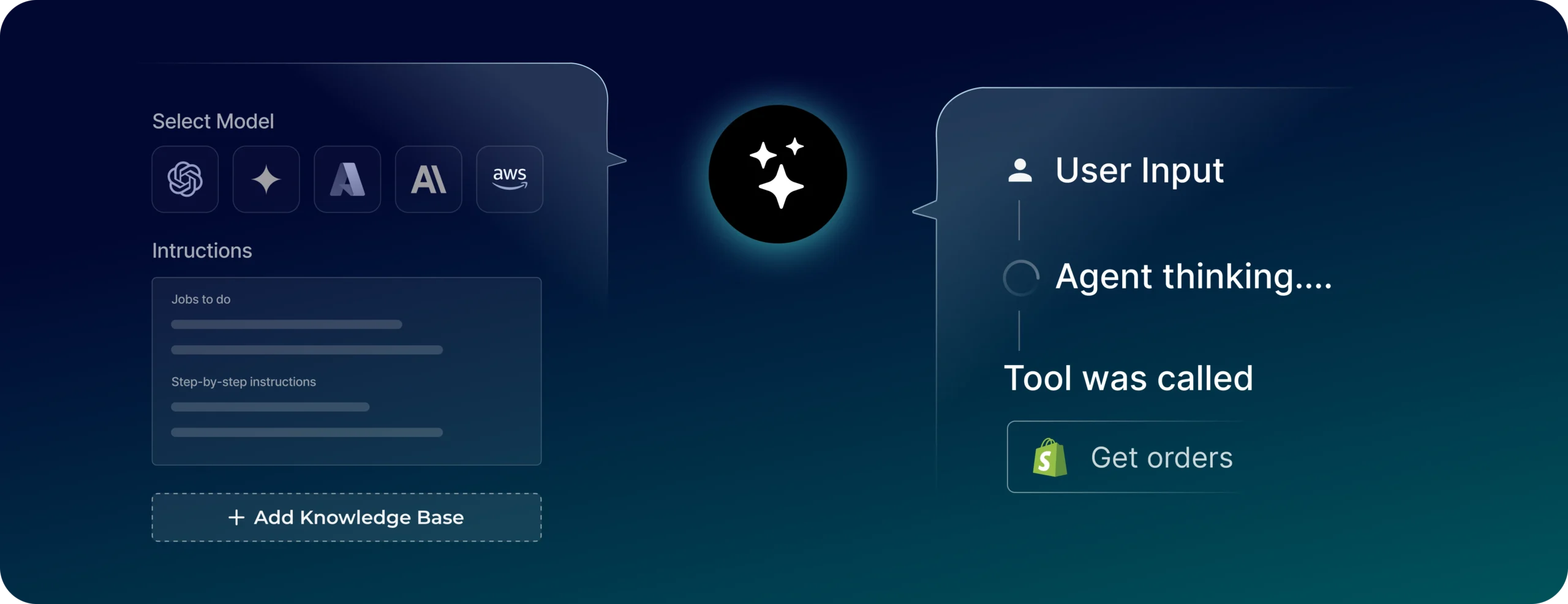
The interface has three components. [1] Instructions define agent behaviour. This is also where you might want to spend most time, giving very specific directions and rules. Clarity matters here because vague instructions lead to agent assumptions. [2] Tool connections work through OAuth (approved and done, no API key management). [3] Knowledge base handles PDFs; I uploaded employee handbooks and policies. They recently added semantic query capabilities.
2. Lindy – No Code AI Agent Builder for Non-Technical Teams
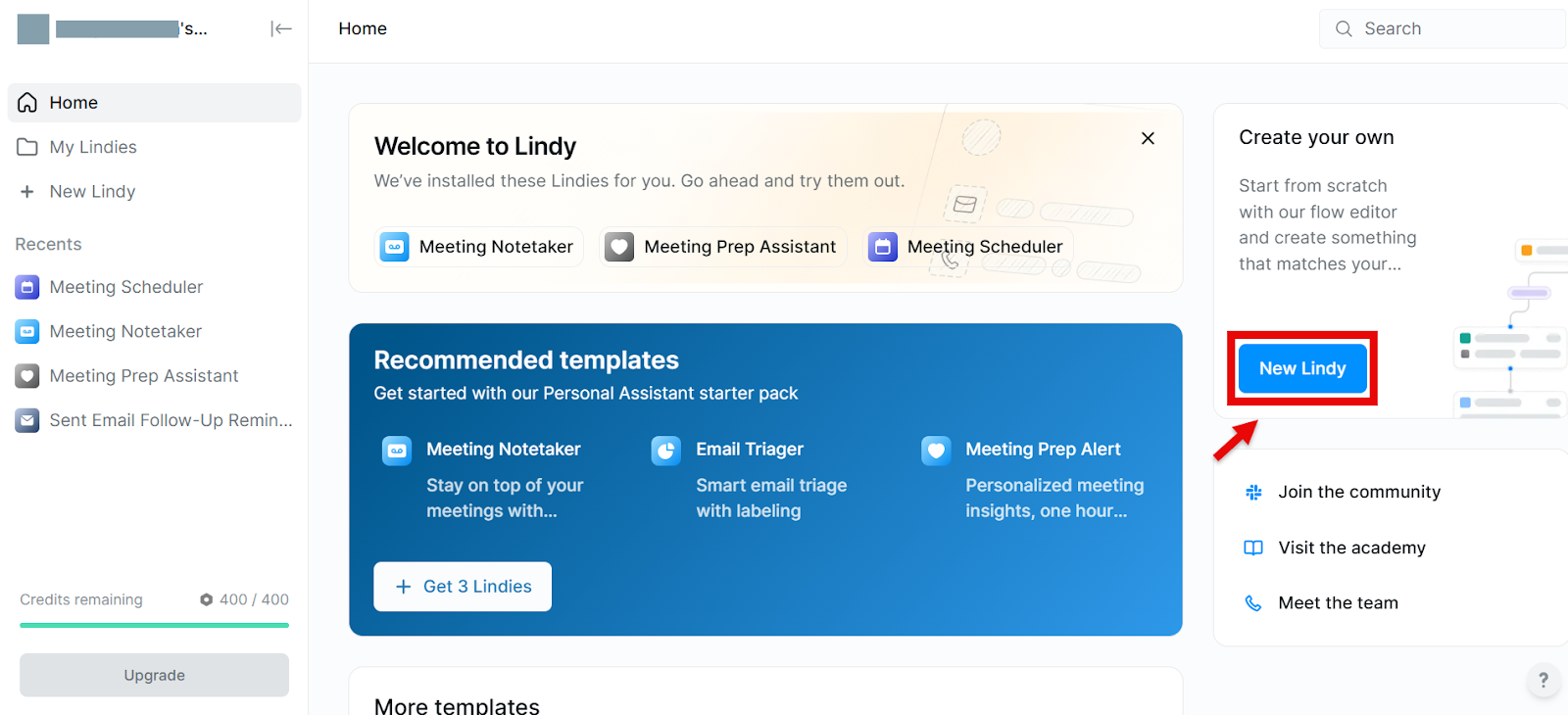
Lindy positions itself as the “AI employee” platform. The prompt-to-agent feature works impressively well for non-technical teams integrating across multiple tools.
Pricing: $49.99/month
Free plan: Yes
Who it’s for: Small-to-medium teams wanting immediate productivity
Pros:
- Prompt-to-agent feature works well for non-technical teams, no canvas or node mapping required
- Multi-agent collaboration allows research, qualification, and outreach agents to work together automatically
- 3,000+ integrations with SOC 2 and HIPAA compliance
- Fastest setup time among all platforms I tested(60 sec)
Cons:
- Limited tool integrations, which may be a hindrance while building niche agents
- Costs scale with usage, which can get expensive for high-volume workflows
- High autonomy means agents make unexpected decisions that require monitoring
- Phone numbers cost an extra $10/month and are US (+1) only
What I built:
I described what I wanted in plain English: ‘Research incoming leads, qualify based on company size and industry, send personalised emails, update HubSpot.’ Lindy generated the entire workflow. I configured three agents (research, qualification, outreach) who worked together without manual orchestration. Research agent finds data, hands it to the qualification agent, who scores and passes it to outreach. When research found incomplete data, the qualification adapted and used alternative signals. I didn’t program this handoff logic; the tool created it on its own.
Lindy positions itself as the ‘AI employee’ platform. The prompt-to-agent feature works impressively well for non-technical teams integrating across multiple tools.
When I tested Lindy’s voice for phone support using Claude 3.5 Sonnet, I encountered noticeable latency that feels awkward in live calls. I switched to Gemini Flash which fixed speed but sacrificed reasoning. You’re trading off quality for responsiveness. But it’s probably something that’ll be fixed as tools keep maturing.
The ‘Lindy Computer’ feature (agents using browsers) occasionally pulled stale data from old blog posts instead of official sources. I manually tuned prompts to prioritise recent, authoritative content. High autonomy means agents make weird decisions sometimes. Plan for monitoring.
Real user feedback:
User-Friendly, HIPAA Compliant with Stellar Support
The software’s AI-powered prompting creates a user-friendly and valuable SaaS experience. Its intuitive design and diverse functions, including agent building, website creation, and automation, support both personal and business applications. Performance is notably fast and responsive.The software’s use of AI and prompting to provide a user friendly and useful Saas is impressive. It’s intuitive, and offers numerous functions such as building agents’ websites and other automations to assist anybody from private use to almost any Business Application or function. The speed and latency is impressive.
— Director, G2 Review (5/5)
3. N8n – Open Source AI Agent Development Platform
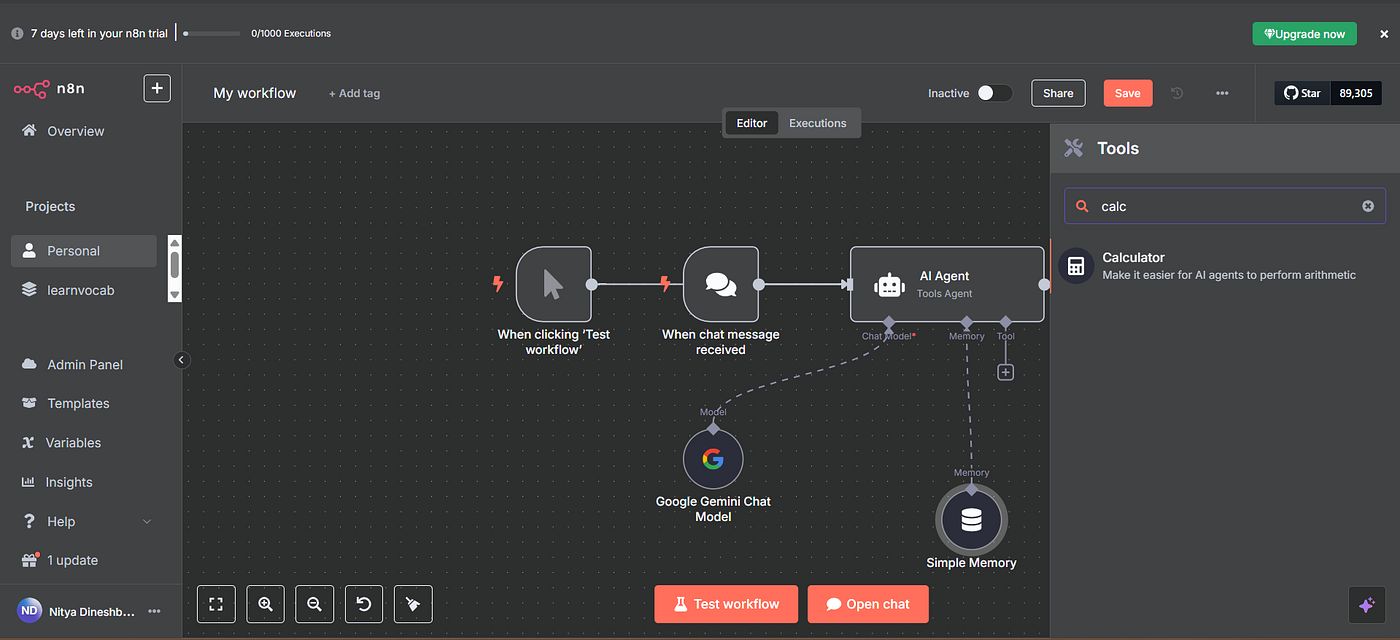
n8n is an open-source workflow automation tool that added AI Agents as a native feature in late 2025. You can build agents that orchestrate workflows across 400+ integrations. Although n8n usually categorises more as low-code than no-code, the agentic features do come under no-code, in my opinion. It is more like a manager who oversees tasks handled by expert/specialist employees.
Pricing: $20/month cloud
Free plan: Yes (7-day trial),
Who it’s for: Backend automation and workflow orchestration
Pros:
- Open-source and self-hostable with complete control over data and infrastructure
- 400+ integrations when native nodes exist, plus the ability to modify node code directly
- very cost-effective at $20/month cloud or free self-host
- Flexible LLM options, including OpenAI, Anthropic, Cohere, self-hosted models (Llama, Mistral)
- Active community for troubleshooting
Cons:
- Missing native nodes for niche SaaS tools forces manual HTTP request construction
- Not truly ‘no-code’ beyond standard apps, it requires understanding webhooks, HTTP, and data transformation which means non-technical users will struggle.
- AI features are still evolving, no built-in knowledge bases (handle RAG manually)
- Self-hosting means you own security, uptime, and compliance.
What I built:
I built a competitive intelligence agent monitoring competitor sites, extracting pricing changes, summarising features, posting to Slack, and updating spreadsheets. Took about an hour with the visual workflow builder. Each step is a node: web scraping, LLM analysis, notifications, updates. The open-source nature helps when you hit problems. Competitor sites had anti-scraping measures, so I modified the node code directly. Try that with closed platforms.
n8n is powerful, no doubt. Open-source, self-hostable, costs basically nothing ($20/month cloud or free self-host), and complete control. But the technical barrier is significant. Also, n8n is more like a manager that oversees tasks handled by expert employees.
The newsletter automation challenge: I tried building a workflow to pull data from Beehiiv and sync subscribers with Kajabi. Since n8n doesn’t have native nodes for either platform, I had to construct HTTP requests manually, configure authentication, parse JSON, map nested fields, and handle errors myself.
After a few hours of implementation and debugging, I rebuilt the same workflow in Zapier, where native connectors handled it in minutes.
Reality check: n8n moves beyond “no-code” once you step outside standard integrations. But for users with some technical comfort, that flexibility is exactly what makes it powerful and cost-effective.
Real user Feedback:
Flexibility to connect to multiple AI tools and automation tools and places where information lives in our tech stack. We can then use this to pull information into centralised places for teams to use. We can also get the ai agents to do manual tasks that previously the team have had to to.
This tool can be quite technical for non-technical stakeholders, and depending on how your tech stack is configured, you may need some engineering resources to get it set up.
By automating repetitive tasks that our team regularly handles, we are able to free up resources and dedicate more time to addressing other high-impact problems that require our attention.
— Operations Lead, G2 Review (4.5/5)
4. Voiceflow – AI Agent Builder for Customer Support Teams
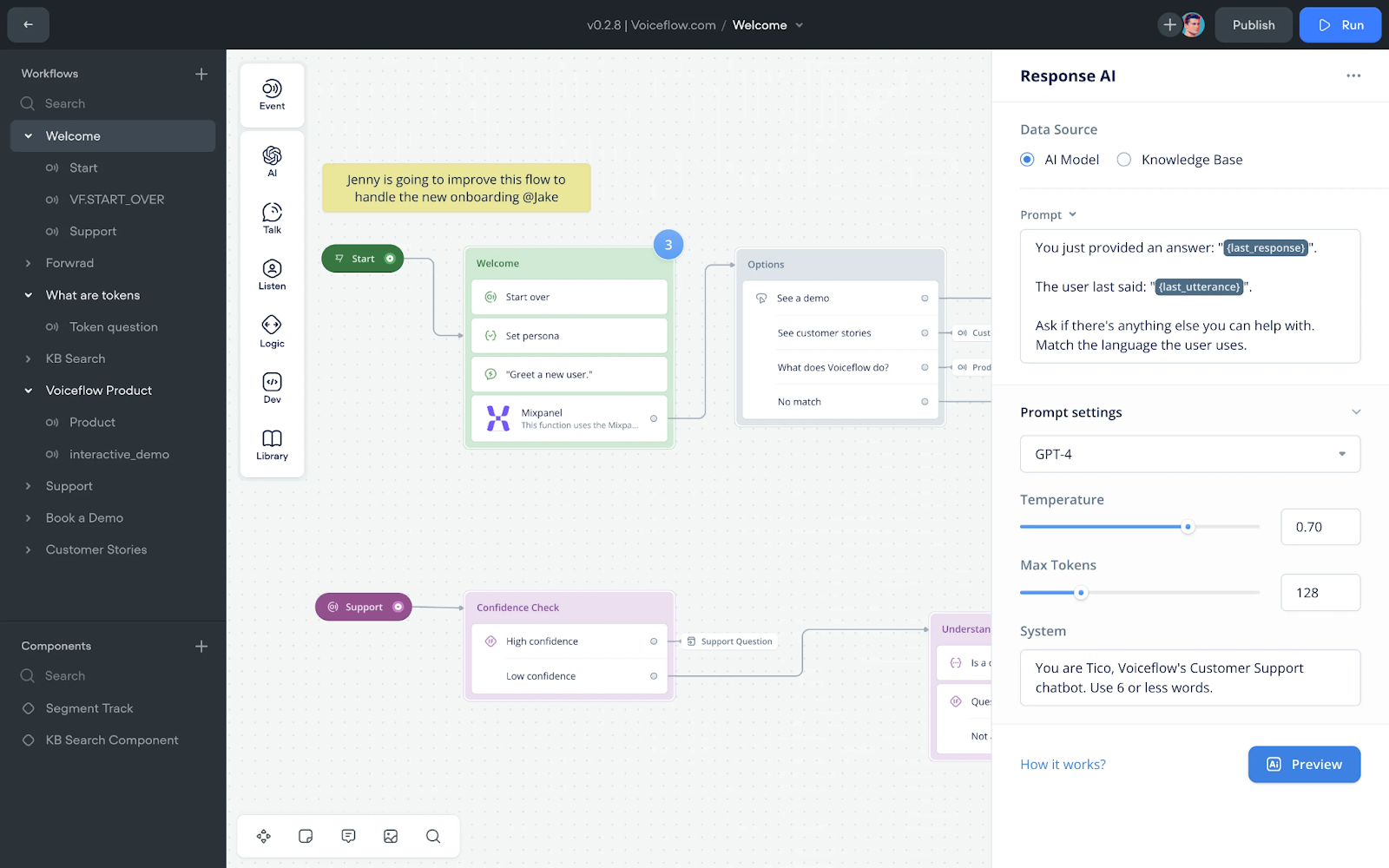
Voiceflow started as a voice assistant tool and evolved into one of the more polished platforms for conversational agents with visual flow design.
Pricing: $60/month
Free plan: No
Who it’s for: Customer-facing conversational agents and support bots
Pros:
- Visual conversation designer is the most intuitive available for designing complex flows
- Omnichannel deployment works seamlessly, build once, deploy to web, WhatsApp, Slack
- The analytics dashboard shows exactly where conversations fail with drop-off points and satisfaction scores
- Non-technical PMs can design complex agents without developer help
- Each channel auto-adapts to constraints (WhatsApp character limits, Slack threading)
Cons:
- Function calling gets messy with 10+ API integrations, canvas becomes cluttered.
- Large PDFs (100+ pages) have retrieval issues, sometimes pulling irrelevant chunks.
- Pricing scales per conversation, high-volume (10K+ monthly) gets expensive
- Data transformation is basic; complex JSON from APIs needs external tools
What I built:
I built a SaaS support bot in 45 minutes, handling common questions, escalating complex issues, pulling from knowledge bases, and deploying to web chat, WhatsApp, and Slack. The visual conversation designer is the most intuitive I’ve seen. You see conversations branch in real-time. I showed this to our product team and they immediately understood it.
Voiceflow started as a voice assistant tool and evolved into the standard for conversational agents with visual flow design.
Omnichannel deployment worked seamlessly for me. I built it once and deployed to web, WhatsApp, Slack with zero extra config. Each channel auto-adapted to constraints (WhatsApp character limits, Slack threading).
The analytics dashboard showed exactly where conversations failed, drop-off points, escalation triggers, and satisfaction scores. I discovered the agent couldn’t handle nested questions well (like ‘what’s your pricing, and also do you have a free trial?’). I had to redesign some flows.
When I tested it: Customer-facing conversational agents, support bots, lead qualification, and onboarding work well. Works best when the product or marketing owns the agent, not engineering. When conversation flow matters more than complex workflows.
Real user feedback:
I appreciate Voiceflow’s capability to build diverse solutions, especially for voice integrations. The integration potential with solutions like Twilio, Flowbridge, and Airtable is truly remarkable, enabling seamless connectivity for phone call automation and customer service applications. This has been beneficial for expanding our service offerings beyond chatbots.I use Voiceflow to build AI solutions for customer service and sales, automating tasks like phone calls with integrations like Twilio. It supports a diverse range of solutions, enhancing our agency’s offerings to provide more value to clients.
–– Juha S. G2 Review (4/5)
5. Stack AI – AI Agent Platform for Complex Workflows
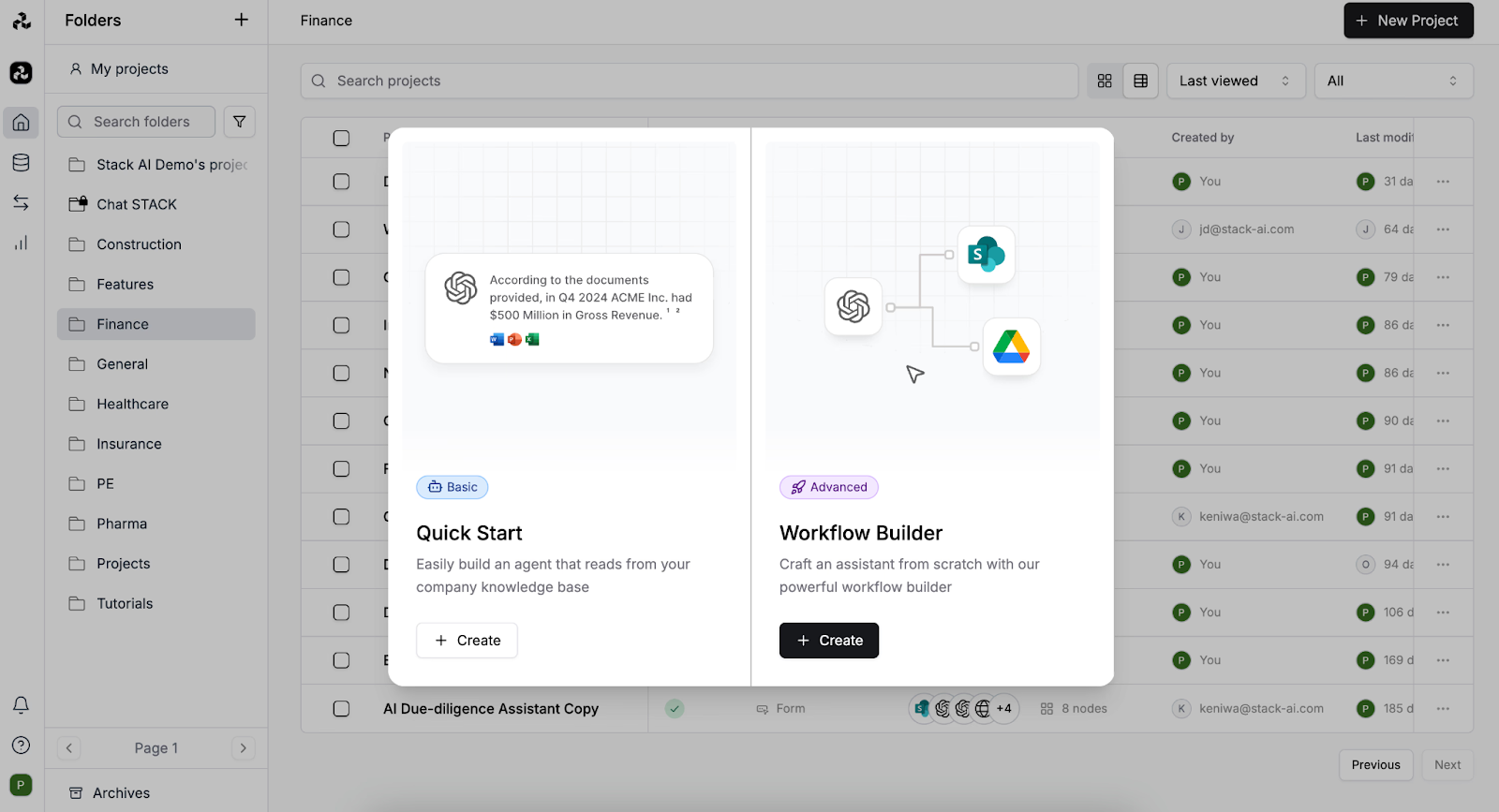
Stack AI is designed for data-intensive workflows with emphasis on multi-LLM orchestration.
Pricing: Usage-based pricing
Free plan: Yes
Who it’s for: Data-intensive agents and research workflows
Pros:
- Multi-LLM orchestration routes tasks to different models, cutting costs by ~60%
- Every agent auto-generates an API endpoint for integration into existing tools
- Team workspaces with role-based access and version control, useful when multiple builders are editing agents simultaneously.
- VPC deployment support with no data storage for sensitive use cases
Cons:
- Node-based interface is powerful but not intuitive, takes time to learn
- Limited pre-built integrations compared to DronaHQ or Zapier
- Interface is functional but bare-bones versus Voiceflow
- Usage-based pricing needs monitoring at scale
What I built:
I built an investment research agent monitoring financial filings, extracting financial metrics, summarising earnings, flagging anomalies, and updating a database. Setup took about 2 hours configuring the document parsing pipeline. I routed tasks to different models: GPT-4 for complex reasoning (financial narratives), Claude for summarisation (faster, cheaper), Gemini for data extraction (better structured outputs). This cut costs ~60% compared to using GPT-4 for everything.
Stack AI positions itself around data-heavy workflows and multi-LLM orchestration, and that focus is immediately noticeable once you start building.
When I tested it, the multi-LLM cost optimization wasn’t just a theoretical benefit , it changed how I structured the agent. I could route simpler tasks to cheaper models and reserve stronger ones for reasoning-heavy steps without redesigning the system. That flexibility becomes meaningful when you’re thinking about usage at scale.
On the governance side, team workspaces with role-based access worked reliably. Versioning is granular, and rollback is genuinely one-click , every change is tracked. For sensitive environments, VPC deployment support and the fact that Stack AI doesn’t store your data by default are meaningful differentiators.
Overall, Stack AI feels less like a drag-and-drop automation tool and more like an orchestration layer for teams that think in systems.
6. Relevance AI – AI Agent Builder for Knowledge Work
Relevance AI is the platform to build “AI teammates for your business” focused on knowledge work, basically like an expert/specialist.
Pricing: $29/month
Free plan: Yes
Who it’s for: Knowledge work automation and research tasks
Pros:
- Chain-of-thought reasoning shows step-by-step thinking, building trust in outputs
- Pre-built templates for common use cases enable customisation rather than building from scratch
- Multi-agent pipelines allow task handoff automatically
- Knowledge base integration uploads documents or connects to tools like Notion and Google Drive
Cons:
- Requires ongoing tuning and maintenance, agents produce inconsistent outputs over time.
- Advanced integrations are locked behind upper-tier plans
- Web search quality varies; sometimes returns outdated or low-quality sources
What I built:
I built a competitive analysis agent using their ‘Researcher’ template in about 30 minutes. The chain-of-thought reasoning is transparent. The agent shows step-by-step thinking: ‘Identifying key pages…’, ‘Extracting features…’, ‘Comparing pricing…’, ‘Synthesising insights…’ This transparency builds trust; you see why it concluded something, not just what.
Relevance AI markets itself as ‘AI teammates for your business’ focused on knowledge work.
Relevance AI agents benefit from active oversight. In my case, a competitive analysis agent that initially performed well began producing inconsistent outputs after a couple of days; pricing data was accurate on some runs and off on others. Maintaining reliability required periodic prompt adjustments, refining extraction rules, and retesting workflows.
It’s not entirely a “set it and forget it” system, particularly for data-heavy or externally sourced workflows. Ongoing tuning should be factored into planning.
Advanced integrations are available exclusively in our higher-tier plans.The credit-based pricing model works predictably at steady volumes, but during spikes, agents can hit usage limits and pause until additional credits are allocated , something teams need to monitor proactively.
I configured multi-agent pipelines (research → analysis → writing), handing off tasks automatically. This pipeline approach proved more reliable than one agent handling everything, but it adds complexity.
Real user Feedback:
I find setting up Relevance AI fairly easy, and the team is supportive, making onboarding smooth. It benefits us by addressing language translation and coverage gaps. Its integration with multiple platforms like ZoomInfo, LinkedIn, and Slack is seamless. The ability to build agents across different departments is particularly valuable.
–– Manager, Sales Department, G2 Review (3.5/5)
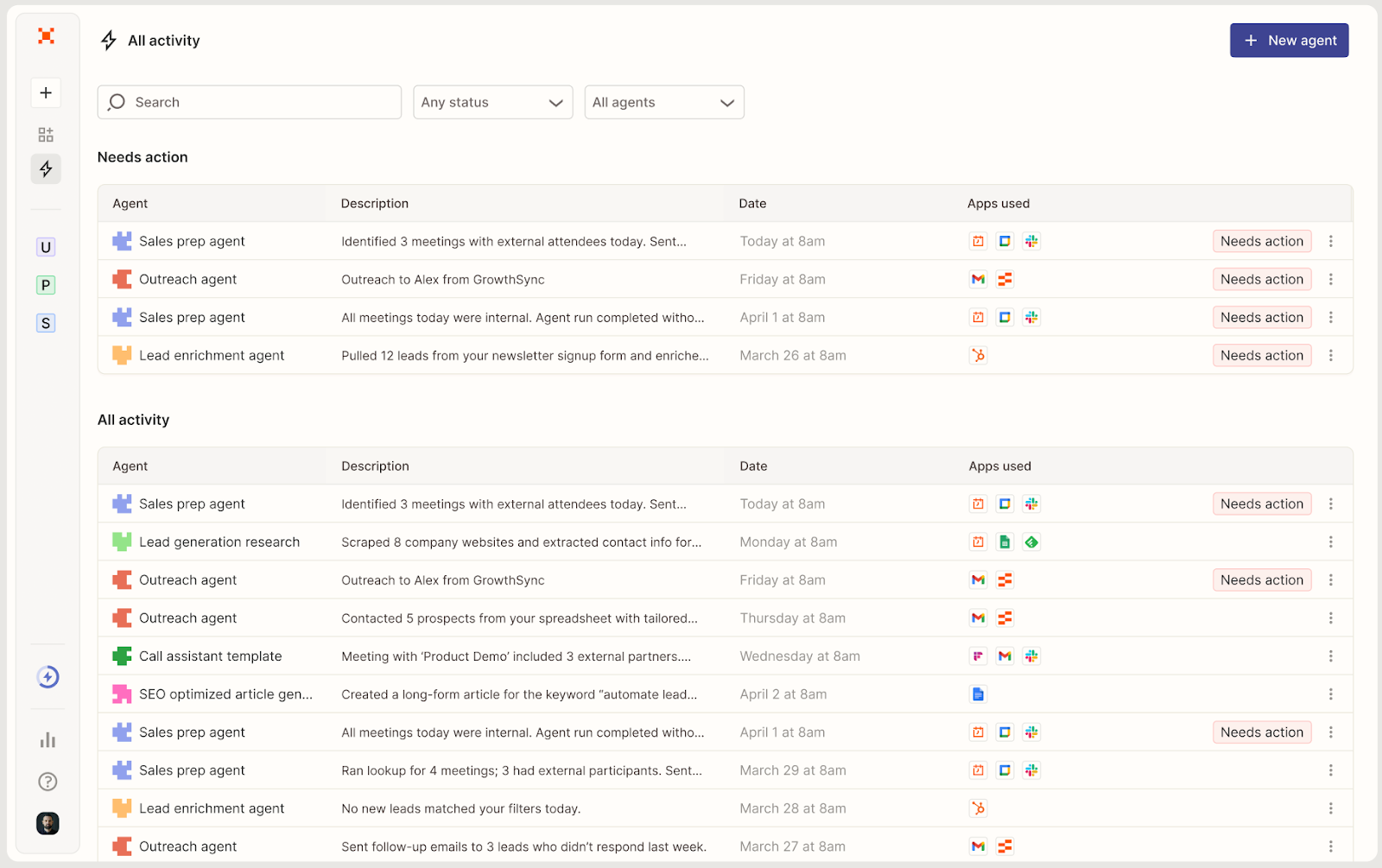
7. Zapier Central
Zapier Central is Zapier’s AI agent offering, launched Q4 2025. Builds on 6,000+ app integrations while adding autonomous decision-making.
Pricing: $49.99/month
Free plan: yes
Who it’s for: Automation-heavy use cases for existing Zapier users
Pros:
- 6,000+ app integrations connecting to nearly anything without custom API work
- Familiar interface for existing Zapier users with no training needed
- Built-in memory tracks context across runs
- Enterprise-ready with SSO, audit logs, and data residency on higher tiers
- Extensive documentation and community content
Cons:
- Task-based pricing gets expensive for high-volume workflows
- Limited transparency, doesn’t display agent reasoning, makes troubleshooting harder.
What I built:
I built a lead enrichment agent in 20 minutes because existing Zapier Zaps were configured. The agent monitors HubSpot, enriches with LinkedIn and Clearbit, qualifies based on criteria, routes qualified leads to sales, and sends rejection emails to unqualified leads. For existing Zapier users, Central feels intuitive. Zap builder translates seamlessly to agent actions.
Zapier Central is Zapier’s AI agent offering, launched in Q4 2025. Builds on 6,000+ app integrations while adding autonomous decision-making.
What I found: Agents maintain context across runs. When a lead responded to a rejection email requesting reconsideration, the agent remembered the original qualification criteria and re-evaluated. Most platforms treat this as a new conversation.
The platform allows JavaScript snippets for custom logic, which bridges the gap between no-code and full programming. Built-in memory tracking context works well across multiple interactions.
Still beta as of early 2026, so features are evolving. I noticed the LLM misinterprets data sometimes and needs prompt refinement. Task-based pricing gets expensive for high-volume. Limited transparency, the platform doesn’t display agent reasoning, which makes troubleshooting harder compared to platforms like Relevance AI.
Where Zapier Central falls short is depth. It excels at automation with AI layered in, but it’s not designed for complex multi-agent systems, advanced branching logic, or fine-grained control over model routing and reasoning steps. Compared to deeper agent orchestration platforms, it feels more like intelligent automation than a full agent engineering environment.
Real user feedback:
Saves Time and Simplifies Business Processes”
What do you like best about Zapier?
I love how it saves me time and simplifies many of my business processes. The automations I’ve set up impact my everyday tasks.
Review collected by and hosted on G2.com.
What do you dislike about Zapier?
There is a bit of a learning curve to figure out how to use it and create automations correctly. Also sometimes I go into Zapier wanting to automate a certain task, only to find either the app I need is not supported, or the specific function I want to use with a certain app is not available.
–– Small business owner, G2 Review(4.5/5)
8. Flowise – Open Source AI Agent Builder for Developers
Flowise is an open-source, low-code tool for building LangChain and LlamaIndex applications visually. It’s a drag-and-drop builder for AI agents and RAG systems.
Pricing: Free for self-hosted, otherwise $35/month( for managed Flowise cloud service or premium enterprise features)
Free plan: Yes (open-source)
Who it’s for: RAG systems and prototyping LangChain workflows
Pros:
- Open-source and free with full control over data and infrastructure
- Code export capability, build visually, then export to Python for production
- Flexible model support works with OpenAI, Anthropic, Cohere, HuggingFace, and local models
- Active community with lots of pre-built templates on GitHub
- Visual LangChain wrapper with human-in-the-loop checkpoints and execution tracing
Cons:
- Technical setup required, self-hosting means Docker, managing dependencies, and troubleshooting.
- The UI is basic and functional but not polished. Canvas gets messy with complex flows.
- Agent capabilities are basic, less mature for complex agentic workflows
What I built:
I built a document Q&A agent for internal company docs. Uploaded 100+ company PDFs (policies, procedures, handbooks), embedded documents using OpenAI embeddings, built a RAG pipeline with Pinecone vector DB, deployed as a web chatbot. Setup took about 3 hours because I needed to configure the vector database and embedding pipeline.
Code export capability: After building the flow visually, I exported it to Python code. Our backend team took that code, optimised it, and deployed it to production. You can’t do that with most no-code platforms.
Strategic note: In August 2024, Workday acquired Flowise, which raises questions about its long-term roadmap. Post-acquisition, there’s a risk that new enterprise features may prioritise corporate HR/Finance requirements over the needs of independent developers. Monitor the open-source community’s sentiment and roadmap trajectory carefully.
Flowise is great for RAG but less mature for complex agentic workflows (multi-step reasoning, tool orchestration). For that, LangGraph is better. Also, self-hosting means Docker, managing dependencies, and troubleshooting. Non-developers will struggle.
9. LangFlow – Visual Builder for AI Agents
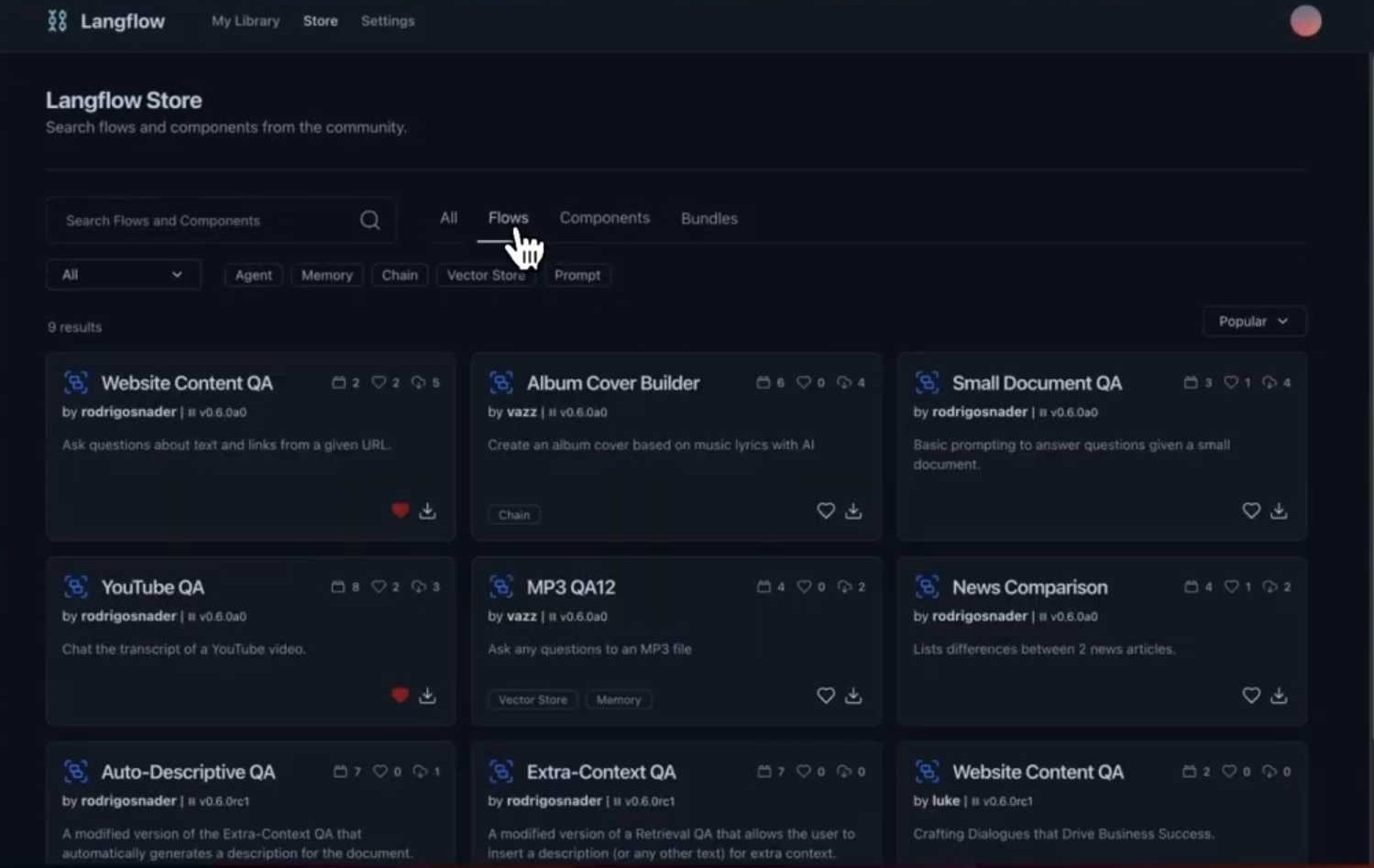
LangFlow is an open-source visual builder for LangChain applications, similar to Flowise but with a more polished UI.
Pricing: Free
Free plan: Yes (open-source)
Who it’s for: Prototyping and experimenting with LangChain
Pros:
- Clean, modern UI, nodes auto-organise, connections are clear
- Access to hundreds of LangChain components (loaders, retrievers, tools)
- Export to code, prototype in LangFlow, then hand the code to backend teams
- Multi-LLM support works with OpenAI, Anthropic, Cohere, HuggingFace, and local models
- Active development with frequent updates and responsive maintainers
Cons:
- Features like memory management and streaming are in beta.
- Self-hosting required, no managed cloud version as of early 2026
- Limited enterprise features, no auth, audit logs, or RBAC out of the box
- Agent capabilities are basic, less mature for complex autonomous agents
- Lacks marketplace and templates, unlike Flowise.
What I built:
I built a multi-step research agent that takes a research topic, generates sub-questions, searches the web for each question, and synthesises findings into a report. Setup took about 2 hours because I was learning LangChain concepts. The interface is better than Flowise: nodes auto-organise, connections are clear, and there’s a mini-map for navigation. UI polish makes a difference; small details matter when you’re building complex flows.
LangFlow is an open-source visual builder for LangChain applications, similar to Flowise but with a more polished UI.
Prototyping to production: Like Flowise, LangFlow exports to Python code. I prototyped the agent visually, then handed the code to our backend team for production deployment. This workflow is perfect for teams that want visual prototyping but code-level control in production.
When I tested it: LangFlow is perfect for prototyping and experimentation. If you’re a developer or data scientist exploring LangChain, this is the fastest way to build and test. That experience also highlights the key differences between Flowise and LangFlow:
Quick Take on Flowise vs LangFlow:
Both sit in the LangChain ecosystem, but they feel built for slightly different stages of maturity. LangFlow leans toward experimentation; it’s closer to a visual sandbox where you can tweak chains, inject Python, and iterate quickly without much structural overhead. Flowise feels more opinionated and operationally structured, with stronger enterprise controls and deployment readiness. If you’re exploring ideas, testing prompts, or building custom logic-heavy flows, LangFlow gives you more raw flexibility. If you’re shipping something that needs team collaboration, governance, and predictable deployment, Flowise provides more guardrails.
Examples of Use for AI Agents
AI agents built with these platforms can handle a wide range of tasks, from customer support agents and sales automation to internal workflow automation. Many organizations use them to automate repetitive tasks, manage complex workflows, and connect internal tools with external systems.
How to choose
Start with your context:
- Customer-facing, high-volume? → Voiceflow
- Internal automation, enterprise systems? → DronaHQ or Lindy
- Backend workflows, already automating? → n8n or Zapier Central
- Data-heavy, multi-LLM? → Stack AI
- Knowledge work (research, writing)? → Relevance AI
- Developer/technical team, need code control? → Flowise or LangFlow
Then consider:
- Budget: Open-source (n8n, Flowise, LangFlow) vs. managed (others)
- Tech skills: Easy (Voiceflow, Relevance, Lindy) vs. Hard (Flowise)
- Data security: Self-hosting available? (DronaHQ, n8n, Flowise, LangFlow)
Test complexity:
- Simple (FAQ, routing)? → Voiceflow, Zapier Central, Lindy
- Medium (multi-step, conditionals)? → DronaHQ, Stack AI, Relevance
- Complex (multi-agent, deep reasoning)? → DronaHQ, Lindy, custom LangChain
No single platform wins everything. The right AI agent builder fits your team’s skills, use case complexity, and deployment needs.
What’s next?
AI agents in 2026 are increasingly becoming a part of everyday operations. The question isn’t ‘should we use agents?’ but ‘which workflows do we automate first?’
Winners will not be the ones who create the most agents. They will be the ones who consistently find situations where autonomous AI adds real value:
- High-frequency, low-complexity tasks where speed matters (lead routing, data entry)
- Expert work bottlenecked by availability (legal review, data analysis)
- Personalisation at scale (customer outreach, content generation)
Start with one workflow. Build the agent. Measure impact (time saved, error reduction, revenue). Then scale.
Each platform lowers the barrier, but none remove it completely. You’ll still need to monitor outputs, tweak prompts, and fix integrations when they break.
Built AI agents with any of these platforms? I’d love to hear what worked (or didn’t). Drop a comment or reach out.
Final Thoughts
No-code AI agent builders vary significantly in governance, flexibility, and technical depth. Enterprise teams will prioritize control and auditability, while startups may prioritize speed and experimentation. The right choice depends less on feature count and more on workflow complexity and internal expertise.
FAQs
Are no-code AI agents secure?
It depends less on “no-code and more on the platform and how you deploy it. Enterprise-grade platforms like DronaHQ offer self-hosted deployment, OAuth-based tool connections, and built-in audit trails. n8n, Flowise, and LangFlow are open-source and self-hostable, giving you complete control over your data and infrastructure. Managed cloud platforms like Lindy carry SOC 2 and HIPAA compliance.
Can no-code platforms handle enterprise workflows?
Yes, with the right platform. DronaHQ, for example, connects to 4,000+ enterprise systems via OAuth, includes governance controls, audit trails, and supports self-hosted deployment. Stack AI offers VPC deployment, role-based access, and version control. Zapier Central provides SSO and data residency on higher tiers. The caveat: not every “no-code” platform is built for enterprise scale. Platforms like LangFlow and Flowise are better suited for prototyping than production governance. Match the platform to the workflow complexity and your IT requirements before committing.
What’s the difference between automation and AI agents?
Traditional automation executes fixed, rule-based workflows — if X happens, do Y. AI agents go further: they reason, make decisions, handle ambiguity, and adapt when conditions change. Automation follows a script. Agents improvise within guardrails.
Do I need technical skills?
It varies by platform. Lindy and Voiceflow are genuinely accessible to non-technical users — I had a working agent running in under 60 seconds on Lindy. DronaHQ let me build a full employee onboarding agent in 30 minutes with zero code. n8n, Flowise, and LangFlow, however, require comfort with concepts like webhooks, HTTP requests, Docker, and JSON schemas. Stack AI rewards structured, systems-level thinking.
The rule of thumb: if you’re staying within standard integrations on managed platforms, you don’t need technical skills. Once you’re self-hosting, customising nodes, or building complex RAG pipelines, some technical background will save you significant time.
How much does it cost to run an AI agent at scale?
Costs range from free (open-source, self-hosted) to $100+/month for managed enterprise plans, with usage-based fees on top. At scale, multi-LLM routing can cut model costs by ~60%. Watch per-conversation and per-task pricing, they add up fast. Start small, measure, then scale.
Related Articles