
Automate vendor KYC and document validation with AI agents
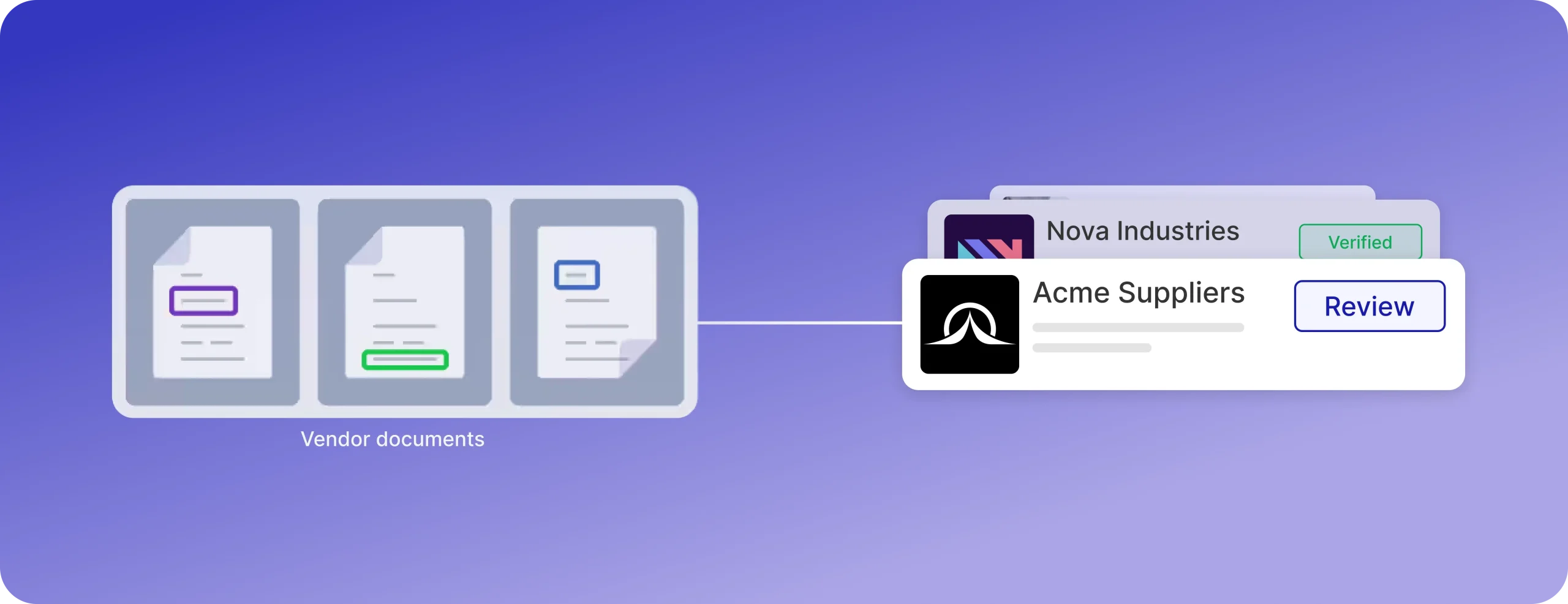
The short answer is, automating vendor KYC means using an AI agent to split, classify, extract and cross-check the documents a vendor submits, then sending only the exceptions to a human. ORIX India used this approach and cut manual vendor-document review by 70–75%. The agent validates documents at the moment of upload, so errors are caught before they reach a reviewer.
Key takeaways
Vendor KYC (often called KYB) is the process of verifying a vendor’s identity, legal standing and bank details before the first payment.
Manual review is slow because of rework loops, not because reading documents is hard. Most of the delay is vendors resubmitting and reviewers chasing.
A reliable agent workflow has five stages: document splitting, classification, extraction, cross-validation and exception flagging.
ORIX India reduced manual vendor-document review by 70–75% and freed 0.5–0.6 FTE of executive capacity.
Humans should review exceptions only, with explicit rules for what counts as one.
What vendor KYC involves
Vendor onboarding is the process of gathering and verifying vendor details, such as legal documents, certifications, financial history and compliance status, before a business relationship starts. KYC for vendors covers the identity and legitimacy part of that. Because the counterparty is a business, it is usually called KYB.
In India, a typical submission looks like this:
The rules are regional. India-focused IDP guides note that a GSTIN must correspond to the PAN provided and list IFSC code matching as a typical validation rule. Your list will differ by country and vendor category.
Why manual vendor document review is slow
One vendor-automation guide puts the standard manual process at 2–8 weeks, against 3–7 days with automation. Treat any single figure as a range, because it depends on vendor type and document quality.
A manufacturing case study from an RPA vendor shows where the time goes. Onboarding one vendor took 30 to 45 days, more than 50 emails and six people. An internal audit also found that nearly 25% of cases contained data inaccuracies.
Four causes show up repeatedly:
Human error. Reviewers misread documents, miss a mismatch between two files, or mistype a field.
Inconsistent standards. Two reviewers apply the same policy differently.
Rework loops. A vendor uploads the wrong file, the reviewer finds out days later, and the cycle restarts.
Volume. Headcount has to grow with the number of vendors.
The third cause is the one automation changes most. Catching a bad upload in seconds replaces a multi-day email thread.
The five-stage automated workflow
A useful agent workflow separates the work into stages that can each be tested on their own.
Most vendors send one bundled file, so splitting comes first. Classification determines which extraction logic and validation rules apply next. Capgemini’s KYC validator on AWS follows the same order: it classifies the document, extracts fields using templates and position-based heuristics, and runs a forgery check in parallel.
Case study: how ORIX India cut manual vendor-document review

ORIX India added an AI document-validation agent to its vendor onboarding process. The agent runs the five stages above on each submission: it splits the uploaded file, classifies each document, extracts the fields, cross-validates them and flags exceptions.
The key design choice is timing. The agent checks submissions at the point of upload, so errors are caught before they reach a reviewer. The vendor can fix a problem immediately, and the reviewer sees files that have already passed the checks.
The ORIX team described the outcome this way: “DronaHQ’s AI-powered document validation helps us catch errors at the point of submission, reducing manual review by 70–75% and freeing up 0.5–0.6 FTE of executive capacity.”
The FTE number is worth reading carefully. Half a person is not a headcount story. The gain is that reviewers stop spending time on files that were wrong when they arrived, and the review queue holds only cases that need judgment.
Read the full ORIX India case study for the deployment details.
Cross-validation: a worked example
This example is illustrative and is not taken from ORIX. A vendor submits four documents in one bundle:
The PAN card shows the legal name “Sunrise Packaging Pvt Ltd” and a PAN.
The GST certificate shows “Sunrise Packaging Private Limited” and a GSTIN.
The cancelled cheque shows an account holder named “Sunrise Pack Industries.”
The insurance certificate expires in 12 days.
The agent runs these checks:
PAN versus GSTIN. A GSTIN contains the holder’s PAN, so the agent compares the two. They match.
Legal name across documents. “Pvt Ltd” and “Private Limited” normalize to the same entity. Pass.
Account holder name. “Sunrise Pack Industries” does not match the legal entity. Flag.
Expiry date. Valid, but inside the 30-day window. Flag for a renewal reminder.
A human now looks at two items, each with the reason attached, instead of reading four documents end to end. For bank details, some teams add a penny-drop verification to confirm the account is live and belongs to the vendor.
Exception rules: when a human reviews
An exception rule is a written condition that sends a file to a person. Without written rules, reviewers re-check everything and the savings disappear.
Start with rules like these and tune them against your own error data:
Track how often each rule fires. A rule that fires on 40% of files is usually a poor rule or a poor upload instruction, not a problem with 40% of vendors.
Audit trail and data security
Compliance teams ask about the audit trail first. Every extraction, check and decision should be logged with the document, the field, the rule applied and the outcome. As one KYC automation guide notes, an agent generates a complete interaction log by default, so the record exists without extra effort from reviewers.
For data handling, confirm four things before go-live:
Where documents are stored and for how long.
Who can view extracted fields, including bank details and tax IDs.
Whether documents are sent to external model providers.
How reviewer overrides are recorded.
Re-verification after onboarding
Onboarding is not a single event. Insurance certificates, registrations and licences expire. Extracting the expiry date at intake lets the system schedule an alert before it lapses, for example 30 days ahead. The same agent can then request the new document and validate it the same way.
How to measure the workflow
Track these metrics from the first week, and record a baseline before you launch:
ORIX’s 70–75% figure is a reduction in manual review, which is a useful reminder to define your own baseline first. A percentage with no baseline cannot be checked.
Where to start
List every document you require per vendor category.
Write the validation rule for each document and the cross-document checks.
Define your exception triggers and who handles each one.
Set upload guidance so vendors submit readable files. Vendors who upload unreadable documents will fail any IDP system.
Pilot with one vendor category and compare against manual review.
If you test the agent before it goes live, the same discipline applies as for any production agent. See our AI agent testing checklist and our guide to AI agent observability.
Building this on DronaHQ
DronaHQ is an agentic orchestration platform. The ORIX deployment used DronaHQ’s AI-powered document validation to run the checks at submission. The pattern is general: an intake step receives the files, an agent step runs splitting, classification, extraction and cross-validation, and a rules step routes clean files forward and exceptions to a review queue.
DronaHQ also has a page on KYC and eVerification workflows for customer onboarding, which follows a similar structure.
Related Articles