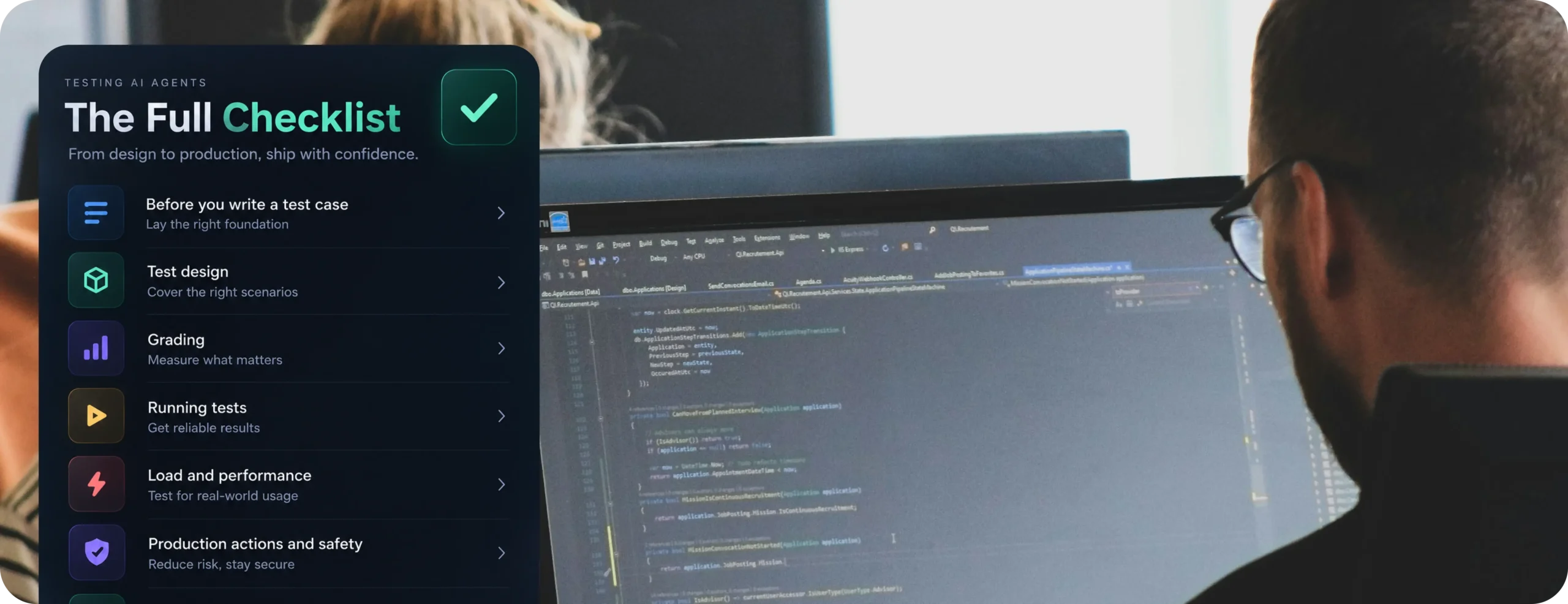

The AI agent testing checklist for agents that actually run in production
An AI agent testing checklist is the set of checks you run before, during, and after an agent goes live, covering whether it does the right thing, whether it keeps doing the right thing under real traffic, and whether anyone finds out when it stops. TLDR: a demo proves an agent can work once. Production testing proves it keeps working when real users, real data drift, and real edge cases show up on a random Tuesday.
Here’s the pattern that keeps repeating. A team builds an agent, runs it through a clean demo, gets nods from stakeholders, ships it. Two weeks later, a customer feeds it a question with three sub-clauses and a typo, the agent misreads the intent, calls the wrong tool, and confidently gives a wrong answer. Nothing in the demo caught this, because nobody tested for it.
That gap between “worked in the demo” and “works in production” is the whole reason this checklist exists.
Start with the simplest test that gives you signal
Before getting into structure, one thing worth saying up front: you don’t need a full testing framework on day one. A handful of end-to-end tests that check whether your agent completes its core task will give you a real baseline immediately, even while your agent is still changing shape. Add complexity only when you have evidence that the simple version is missing real failures.
Teams that get stuck usually get stuck by trying to build the perfect test suite before shipping anything. Start small, read what actually breaks, then expand.
Why “it worked in the demo” isn’t a testing strategy
Demos are built to succeed. You pick clean inputs, you know the happy path, you run it once or twice. Production is the opposite: messy inputs, concurrent users, flaky upstream APIs, and thousands of runs where the same question can get a slightly different answer each time.
That last part matters more than people expect. Traditional software gives you the same output for the same input, every time. Agents don’t. The same query can route through a different tool call, pull different context, or phrase its answer differently across two runs. This is why an AI agent testing checklist has to look different from a typical QA checklist. You’re not just testing “does it work,” you’re testing “does it keep working, across variation, under pressure.”
| Demo testing | Production testing | |
| Inputs | Curated, clean | Messy, ambiguous, adversarial |
| Volume | One request at a time | Concurrent, bursty traffic |
| Success measure | Did it answer correctly once | Pass rate across many runs, tracked over time |
| Failure visibility | You’re watching it live | Silent unless you log and alert |
| Data | Fresh, no history | Accumulated context, stale sessions, drifted sources |
| Ownership | Whoever built it | Needs a named owner post-launch |
Before you write a single test case
This is the step most teams skip, not because they don’t care, but because it doesn’t feel like “real” work. It’s the highest-leverage step on this whole list.
- [ ] Manually read 20 to 50 real agent sessions before building any test infrastructure
- [ ] Write success criteria specific enough that two people reading it would agree on pass or fail
- [ ] Rule out infrastructure and data problems before blaming the agent’s reasoning
- [ ] Assign one person to own testing, not a committee
Spend thirty minutes reading real transcripts before you write a single automated check. You’ll learn more about how your agent actually fails from this than from a week of guessing at test cases.
Vague success criteria produce vague results. “Summarize this call well” tells you nothing. “Extract the three action items from this call, each under 20 words, with an owner if one was mentioned” gives you something you can actually grade. If two people on your team can’t agree whether a given output passes, the task definition needs work before the agent does.
Infrastructure problems love to disguise themselves as reasoning failures. A malformed API response, a stale cache, or a timeout can look exactly like the agent “getting it wrong.” Check the plumbing before you start rewriting prompts, it’s a much cheaper fix if that’s actually the issue.
Test at the right level: single action, full task, or full conversation
Not every test needs to check the same thing. Matching the test to the right level of the agent’s behavior saves you from either missing real problems or drowning in noise.
- Single-action tests check one decision: did it pick the right tool, did it generate a valid call. Fast to automate, but brittle if your tool definitions are still changing.
- Full-task tests are where most teams should start. They grade a complete run across three things: was the final answer correct, was the path it took reasonable (not necessarily the exact one you expected), and did the right thing actually happen in the world (calendar updated, record written, ticket created).
- Full-conversation tests check whether the agent holds context and constraints across many turns. Hardest to get right, layer this in after the other two are solid.
That middle one, checking whether the right thing actually happened, is the one teams skip most often. If your agent books an appointment, don’t just check that it said “booked.” Check the calendar. If it updates a record, query the database. Agents can say the right thing while doing the wrong thing, and that gap is invisible unless you check state, not just text.
Build a test set that won’t lie to you
- [ ] Every test task should have one clear, correct answer to grade against
- [ ] Test positive cases (it should do this) and negative cases (it should refuse or hand off)
- [ ] Pull real examples from usage before inventing synthetic ones
- [ ] Turn every production failure into a new test case
If a task is genuinely ambiguous, missing information, or impossible to complete, that’s a broken test, not a broken agent. Write a reference answer for every test so you have something concrete to grade against, not just a vibe.
It’s tempting to only test the behavior you want (“did it search when it should have”). Also test the behavior you don’t want (“did it correctly decline, or hand off to a human, when it shouldn’t act”). An agent that says yes to every request, including the ones it should have refused, isn’t actually working, it’s just being agreeable.
If you don’t have much production data yet, twenty to thirty hand-written examples that you’re confident in will outperform hundreds of generated ones you haven’t checked. Quality beats volume here, every time.
Once you’re live, close the loop: every real failure a user hits should become a test case. This is what keeps your test set current instead of frozen at the state of the world on launch day.
How to grade without fooling yourself
- [ ] Prefer pass or fail over a 1-to-5 score
- [ ] Grade the outcome, not the exact steps taken to get there
- [ ] Give partial credit for a run that got most of the way there
- [ ] Separate “the agent got it wrong” from “the grader got it wrong”
A numeric scale feels more nuanced, but it usually just adds noise. A 3 versus a 4 means something different to every reviewer. Binary forces a clearer call: it either did the job or it didn’t. You can always break a complex task into several binary checks if one pass/fail feels too coarse.
Grade what the agent produced, not the exact route it took. If the rule is “must check availability before creating the event,” you’ll fail agents that found an equally valid path. The better question is “did the meeting get scheduled correctly,” not “did it call the tools in this exact order.” Agents are creative about how they get to a correct answer, and a testing checklist that punishes creativity ends up training worse agents, not better ones.
Also keep a separate bucket for grader failures. If a test marks a timeout as “wrong reasoning,” or fails a technically correct but unexpected answer, that’s a grading problem, not an agent problem. Mixing the two pollutes your metrics and sends you chasing the wrong fix.
Run tests enough times to trust the result
Because agent outputs vary, one passing run tells you almost nothing. A handful of habits fix this:
- Run each test scenario multiple times and look at the pass rate, not a single pass or fail
- Record that pass rate with the agent version and date, so you have a baseline to compare against later
- Run each trial in a clean environment with no leftover state from the previous one
- Track cost, latency, and steps taken alongside accuracy, since an agent that’s slightly more accurate but far slower or more expensive isn’t automatically an improvement
Most teams find an early pass rate somewhere in the 70 to 90 percent range depending on task difficulty. What matters less is hitting a specific number and more that you’re tracking it consistently, so a future change that quietly drops it doesn’t go unnoticed.
Load and performance: the part demos never test
A demo is one person, one request, a clean environment. Production is dozens or hundreds of people hitting the agent at once, often during the hours your team is asleep.
- Response time under concurrent load, not just single-request latency
- Error rate as traffic increases, since some failures only appear past a certain concurrency threshold
- Throughput, or how many requests the agent can handle at once before it queues or drops
- Token and API cost per session, which tends to surprise teams the first time real volume hits
If you haven’t tested any of these before launch, you don’t actually know your agent’s limits yet. You’ll find out from users instead, which is the expensive way to learn.
Common failure modes, grouped by cause
Most “the agent just broke” incidents trace back to a small set of repeat offenders.
- Stale or misconfigured sources. The agent pulls from a knowledge base or pricing sheet that’s out of date. It passed every test because the test data was correct at the time. This is a data-freshness problem, not a model problem, and it’s one of the most common reasons an agent “gets worse” after launch with no code change at all.
- Integration failures. Agents that depend on external tools inherit those tools’ downtime. If a booking API times out, does your agent retry, fail gracefully, or hang and give the user nothing?
- Context drift over longer sessions. A user says “I’m vegetarian” in turn two, and by turn eight the agent recommends chicken. This is genuinely hard to catch in short demo tests, since it only shows up in longer, realistic conversations.
- Prompt injection and unsafe tool use. Once an agent can act, not just talk, the security surface changes. A user, or a document the agent reads, can try to steer it into calling a tool it shouldn’t. This category is well documented in the OWASP Top 10 for LLM Applications, worth a read once if your agent can take actions with real consequences.
Testing agents that take real, state-changing actions
If your agent books, updates, or deletes something, a normal pass/fail test isn’t enough. Ask a harder question: what happens if the action fails halfway through?
- Test what happens when a multi-step action fails partway, does it leave things in a broken half-done state
- Check whether there’s a way to reverse or compensate for an action that shouldn’t have happened
- Require a human approval step for actions above a certain risk or cost threshold
- Log every state-changing action with enough detail to manually undo it if needed
This gets skipped constantly because it’s less interesting than testing reasoning quality, but for an agent that touches real systems, it’s often the highest-stakes item on this entire checklist.
Gate deployments so a bad change never reaches users
Testing before launch matters. Testing every change before it ships matters just as much, and it’s the part most testing checklists leave out.
A typical flow:
- A prompt or logic change triggers a pipeline run
- Fast, automated tests run against your curated test set
- If those pass, the change goes to a preview or staging environment
- Slower, more thorough tests run against the preview with realistic data
- The change only reaches production if every gate passes, otherwise it’s routed back for review
Use cheap, fast checks for every single change. Save the slower, more thorough evaluation for the preview stage right before something reaches real users. Without this gate, “we tested it” only covers the version you tested, not the version you shipped three prompt tweaks later.
Roll out gradually, not all at once
Even a change that passes every test can behave differently against real, live traffic. Send a new agent or a meaningful change to a small slice of real users first, a pilot group, five or ten percent of traffic, before opening it up fully. Compare its behavior against the previous version on the same traffic. If something’s off, you’ve contained the blast radius to a fraction of your users instead of all of them.
Where low-code AI agent builders change the testing story
A lot of teams now build their first production agent on a low-code platform instead of from scratch. It’s faster to ship, and it lowers the bar for who can build one. It doesn’t lower the bar for testing, it just moves where the effort goes.
- Configuration replaces code, but bugs move with it. A wrong condition in a visual flow, a misrouted branch, or a missing fallback step causes the same kind of failure a coding bug would. It’s just easier to miss in a visual builder if you’re not looking closely.
- Tool and step design matters more than prompt wording. Just like with hand-coded agents, a clearer step interface removes entire categories of mistakes. Vague field names and ambiguous branching invite errors that no amount of prompt tweaking fixes.
- You inherit the platform’s release cycle. If the low-code AI agent platform ships an update, your agent’s behavior can shift without you touching anything. Re-test after platform updates, not only after your own changes.
- Ownership gets fuzzier, not clearer. Because a low-code AI agent is easier for a non-engineer to build, testing responsibility can fall through the cracks between whoever built it and whoever normally owns QA. Name an owner explicitly. “Someone will catch it” is not a testing plan.
None of this makes low-code AI agent building a bad choice, it genuinely gets working agents in front of users faster. The testing checklist doesn’t get shorter, the work just shows up in different places: flow-level review, platform update logs, and clearer ownership.
Monitoring is testing that never stops
Testing doesn’t end at deployment. An agent that passed every pre-launch check can still degrade a month later because the world around it changed: source data went stale, an upstream API changed its response format, user behavior shifted.
- Log every session, including tool calls and final outcomes, so you can actually investigate a complaint instead of guessing
- Track pass rate and error rate over time, not just at launch, so you notice drift instead of discovering it from an angry user
- Sample and read real production sessions on a regular cadence, not only when something breaks
- Set up alerts for spikes in error rate, timeout rate, or fallback-to-human rate
- Feed every real production failure back into your test set
If your agent hands off to a human when it’s unsure, that fallback rate is one of the most honest signals you have. A rising fallback rate usually means something upstream changed before anyone told you.
This feedback loop, production failures becoming new tests, is what separates a testing checklist you complete once from one that actually keeps an agent reliable over time.
Who owns this
This deserves its own section because it’s where good testing plans quietly die. Someone needs to own the agent post-launch: reviewing failed sessions, deciding what “good enough” means, and being the person who gets pinged when the error rate spikes. Vague answers are a warning sign here. “The agent seems to be doing okay” tells you nothing. “Pass rate is at 91 percent, fallback rate ticked up 3 points this week, here’s why” tells you everything. If nobody on your team can give you the second kind of answer, the checklist was a one-time event instead of a practice.
The full checklist
Before you write a test case
- [ ] Read 20 to 50 real sessions before building test infrastructure
- [ ] Write success criteria specific enough for two people to agree on pass or fail
- [ ] Rule out infrastructure and data issues before blaming the agent
- [ ] Assign one owner for testing, not a committee
Test design
- [ ] Match tests to the right level: single action, full task, or full conversation
- [ ] Check state changes (calendar, database, records), not just the reply text
- [ ] Write both positive and negative test cases
- [ ] Give every test task a clear reference answer
Grading
- [ ] Prefer pass or fail over numeric scores
- [ ] Grade the outcome, not the exact path taken
- [ ] Separate agent failures from grader failures
Running tests
- [ ] Run each scenario multiple times and track pass rate, not a single result
- [ ] Record a baseline (version, date, pass rate) to compare future changes against
- [ ] Run trials in a clean, isolated environment
Load and performance
- [ ] Test response time and error rate under concurrent load
- [ ] Measure throughput and cost per session at realistic volume
Production actions and safety
- [ ] Test partial failure and recovery for state-changing actions
- [ ] Require human approval above a risk or cost threshold
- [ ] Review your setup against the OWASP LLM risk list if the agent can act
Shipping changes safely
- [ ] Gate every deployment behind automated tests, not manual sign-off alone
- [ ] Roll new changes out to a small slice of traffic before full launch
- [ ] Re-test after low-code platform updates, not only your own changes
After launch
- [ ] Log sessions and set alerts for error and fallback spikes
- [ ] Sample and read production sessions on a regular cadence
- [ ] Feed every production failure back into your test set
- [ ] Name a single owner who can report specifics, not vague status
Where this goes next
Agents that work in a demo are common. Agents that hold up under real traffic, real data drift, and real edge cases are rarer, mostly because testing them takes a different shape than testing traditional software. The teams that get this right don’t have the most elaborate test suite, they’re the ones who started testing early with something simple and never stopped feeding real failures back into it.
If you’re building agents on a platform like DronaHQ, this same checklist applies before you ship, it just changes where you look: flow logic instead of code, platform release notes instead of your own changelog, and the same non-negotiable need for a named owner watching it after launch.
Have a testing habit that’s saved you from a bad production incident, or a checklist item you’d add? That’s usually the fastest way to find the gaps in a list like this before production does.